September 22, 2026

5 min
Read

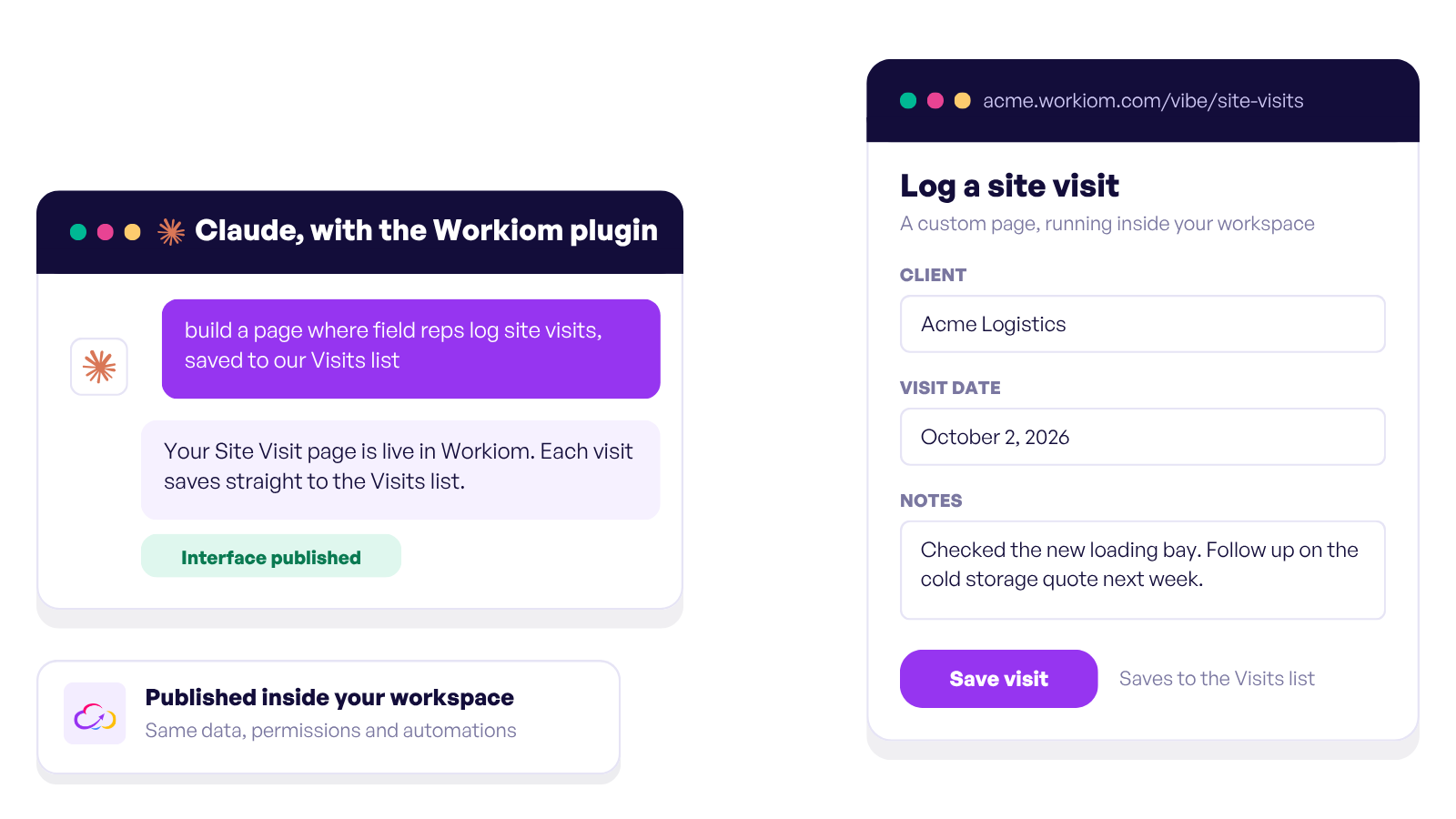
Every team is carrying a list of small tools it never built.
The request form that stayed a spreadsheet. The client portal that stayed an email thread. The dashboard that stayed a screenshot someone pastes into the group chat every Monday. None of them were hard. Each one was worth having, and none of them was worth a development cycle.
That list is what Interfaces are for.
Think of your lists as the engine and the Interface as the dashboard you put in front of it.
The data does not move. It stays in the same lists, with the same permissions and the same automations you already set up. What changes is how people reach it. Instead of teaching your warehouse team to navigate a table view, you give them a page with three buttons and a form.
Everyone who opens it signs in with their own Workiom account and sees what they are allowed to see. It is not a public page with your data copied into it. It is your workspace, wearing a different face.
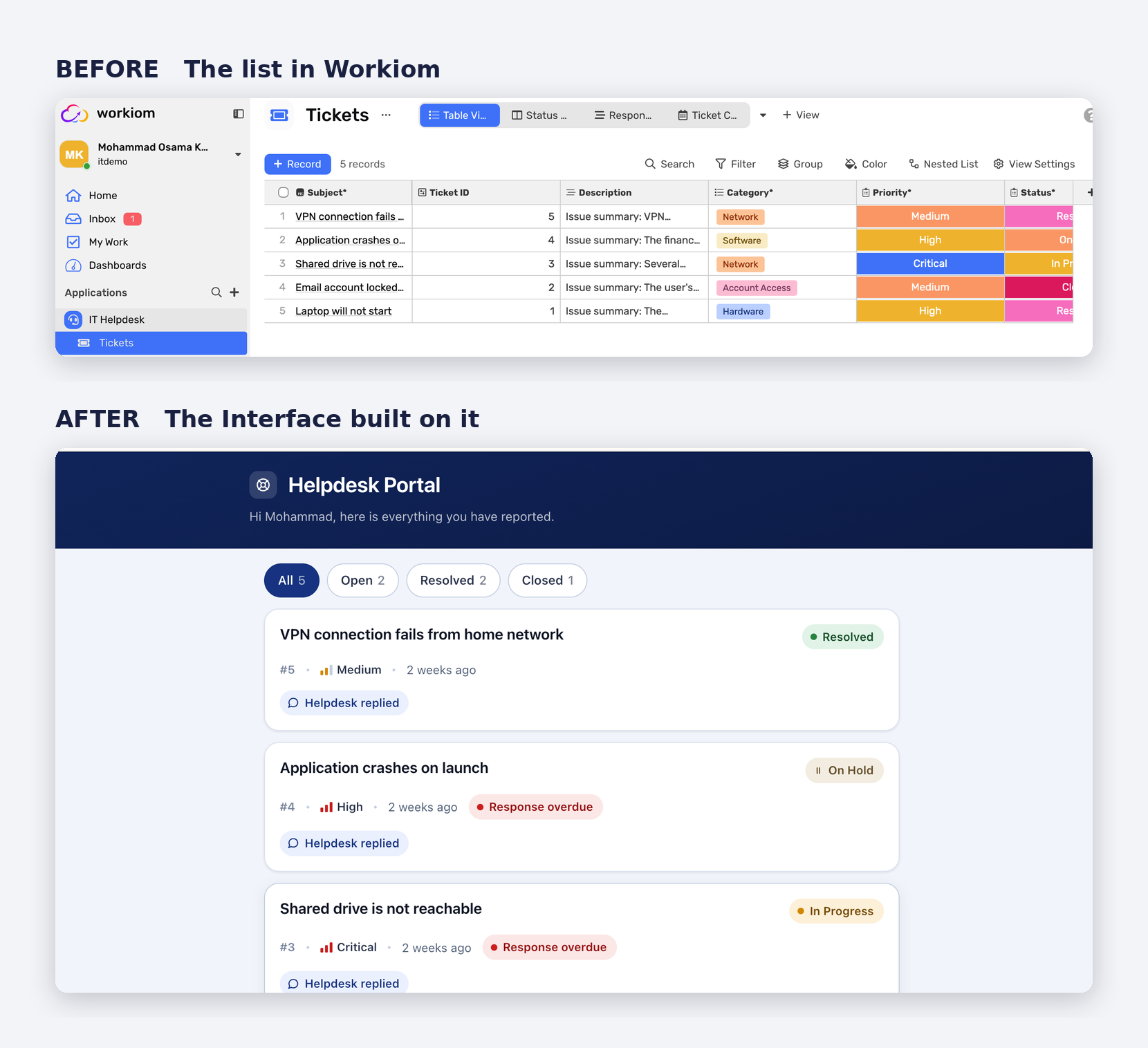
People who should never see the list. Employees submitting a request, clients checking a status. They get the page, not the database.
Teams working away from a desk. Field staff, drivers, warehouse teams. A page built for a phone rather than a table squeezed onto one.
Stakeholders who only need the summary. Leadership gets the four numbers that matter instead of a report with thirty columns.
Anyone you would otherwise have to train. If explaining the workspace takes longer than the task itself, build them a page instead.
Be clear about three things: who opens the page, what they do on it, and which lists it touches. A few sentences is enough.
Then describe it:
"Build an interface for our IT Helpdesk app. Employees submit a ticket with a title, description, urgency and category, and see the tickets they submitted with current status. Keep it simple and mobile friendly."
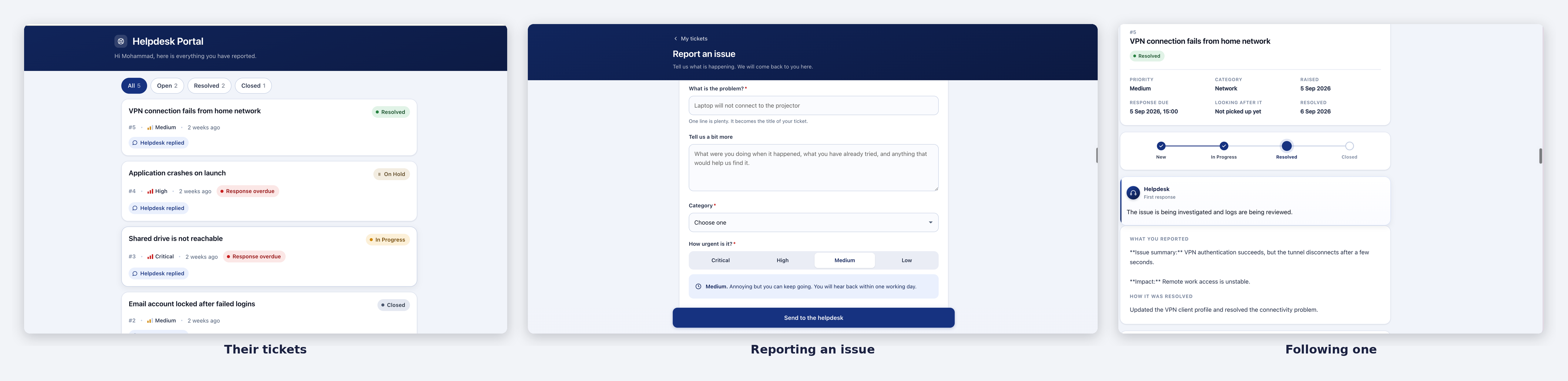
Claude looks at the real structure of your lists, confirms what it found, and asks about anything ambiguous before it starts. That conversation is worth engaging with. Fixing a misunderstanding there costs a sentence. Fixing it later costs a rebuild.
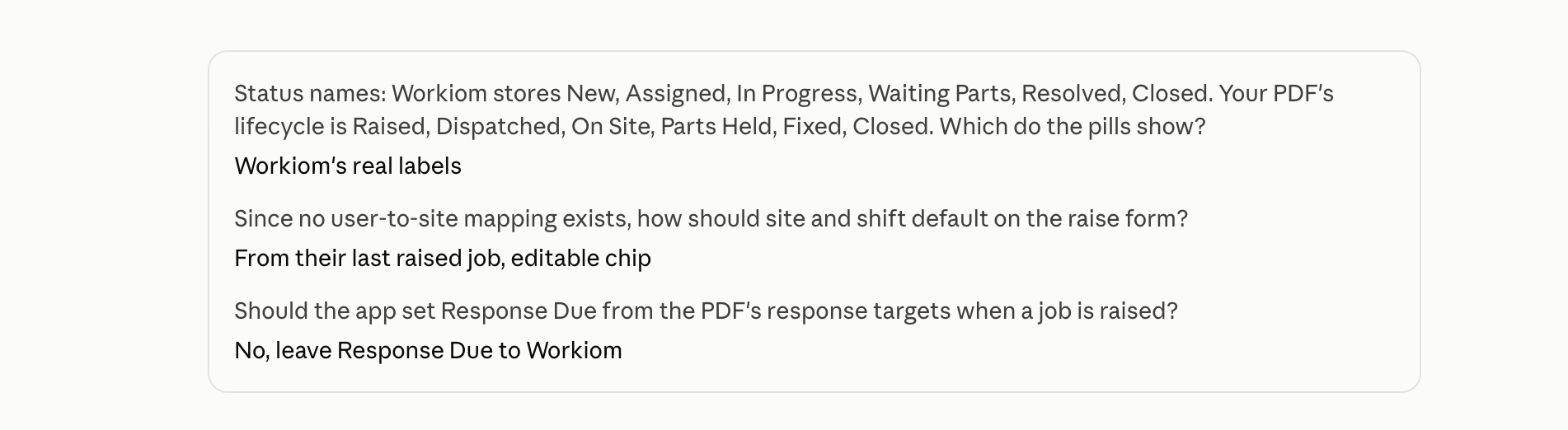
A few minutes later you get a preview. When you are happy, you say publish, and it goes live at an address inside your Workiom workspace.
Bring your brand. Attach your brand guide as a PDF at the start and the page picks up your colors and typography. One drag and drop, and the difference between something that looks like your company and something that looks like a template.
"Add a phone number field."
"Move status to the front and make overdue rows red."
"Only show tickets from this month."
Claude fetches the existing Interface, makes the change, and publishes a new version. Every version is kept, so a change that does not work out rolls back.
Which means you are allowed to be wrong. Build the page, put it in front of five people, find out it was not quite right, fix it that afternoon. Most teams have never had that relationship with their internal tools, which is exactly why the list of ones they never built got so long.
Interfaces are early and there are real edges. Better you hear them from us.
None of these are permanent. All of them are on the list.
Interfaces are built through Claude, so the plugin has to be installed first. That takes about five minutes and is covered in Adding the Workiom Plugin for Interfaces. The plugin includes the same connection described in Your Workiom Data, Now Inside Your AI Assistant.
Interfaces also need switching on for your workspace, which we do on our side. If you do not see them yet, contact us.
Then pick something small. Not the most important process you own. The request form that has been a spreadsheet for two years is a perfect first build.
Do I need to write code? No. You describe the page in plain language and Claude builds it on your real lists.
Can people upload photos and files through an Interface? Yes. People can attach photos and files when they submit through an Interface.
Who sees what on an Interface? Everyone signs in with their own Workiom account and sees only what they are allowed to see in Workiom.
Who can publish one? Workspace super admins, for now. Anyone can design one in conversation.
Want to see more? Explore Interfaces, or book a demo to see a custom page built on top of your Workiom lists.





.svg)
.svg)