

April 19, 2026

5 min
Read

It’s 4 PM, and instead of tackling important strategic work, you’re stuck updating a spreadsheet, sending the same follow-up emails, and double-checking approvals. Sound familiar?
These repetitive tasks are silent productivity killers, draining your focus, slowing down projects, and opening the door to errors.
But here’s the good news: you can hand them over to AI.
With our AI-powered automation in Workiom, you can turn hours of routine work into minutes, without writing a single line of code.
In this guide, you’ll discover:
Every team, from startups to global enterprises, has those daily or weekly routines that eat away at productivity:
Individually, these actions seem small. But together, they can consume hours each week.
If you’ve ever thought “There must be a better way”, you’re right, and that’s where AI-powered automation comes in.
Here’s a quick look at how life changes when you switch to automation in Workiom:
With Workiom, users can design, run, and monitor complex workflows, no coding or IT support needed. Here's how to bring AI into the equation and automate your most repetitive processes.
Workiom’s workflow engine allows you to:
Now, with AI, these workflows go further.
Instead of manually writing formulas or logic expressions, you can describe what you need in plain language, and the AI Formula Generator translates that into a usable, logic-ready formula.
Example:
“Create a due date that’s 3 days after the submission date only if priority is high.”
The AI builds this directly into your workflow, saving time and reducing errors.
Add an AI-powered column that interprets and generates insights based on existing data. This can be used to:
Combined with automation triggers, this becomes a powerful way to automate decisions and content generation.
Follow these steps to automate repetitive task workflows with AI in Workiom:
This process removes the manual work from your daily operations and makes scaling easy.
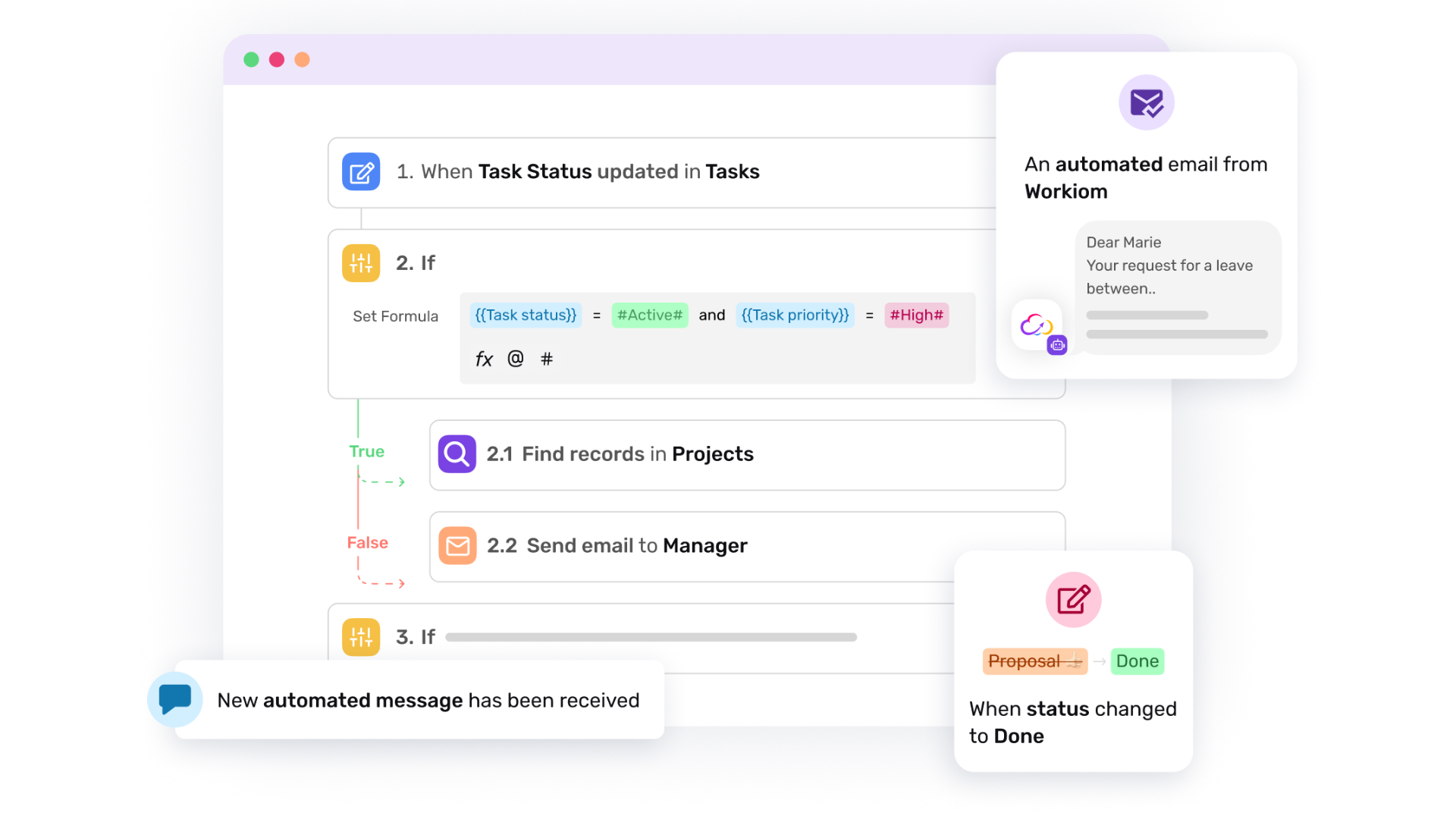
You can use Workiom’s AI-powered automation engine across multiple scenarios:
In each case, Workiom enables users to tailor the logic and structure for their team’s needs, regardless of industry or geography.
For international teams working across time zones, automation can solve coordination issues:
By centralizing these actions, Workiom enables a truly global workflow automation system that works for every team, anywhere.
Let’s say your procurement team needs manager approval for all purchases over $5,000. In Workiom, you can:
This structure saves time, standardizes approvals, and ensures auditability, all without code.
The best part about AI automation is that you don’t have to overhaul everything at once.
Start with one repetitive workflow, maybe it’s follow-up emails or task assignments.
Once you see how much time you save, you can expand into approvals, data updates, and full cross-team processes.
Repetitive workflows can drain your team's focus and delay important outcomes. With AI-powered workflow automation in Workiom, you can build intelligent, scalable systems that handle recurring tasks, dynamic logic, and even content creation.
From task tracking to approvals, from notifications to summaries, AI can step in where manual work once ruled, giving your team time to do what truly matters.
To explore more, dive into Workiom’s workflow templates, AI tools, and automation documentation to start building your next smart process today.
Contact us or start your free trial today and see how Workiom helps your team eliminate repetitive work and automate processes with AI.
AI can automate task assignments, follow-up emails, approvals, data categorization, and status updates.
Workiom combines workflow triggers, AI-generated formulas, and AI fields to automate actions based on data and conditions.
Yes. AI automation helps global teams coordinate tasks, approvals, and reminders across time zones.



.svg)
.svg)
