Describe the page you need to Claude, with the Workiom plugin, and it builds the page on top of your real Workiom lists. It publishes inside your workspace, with the same data, permissions and automations behind it.
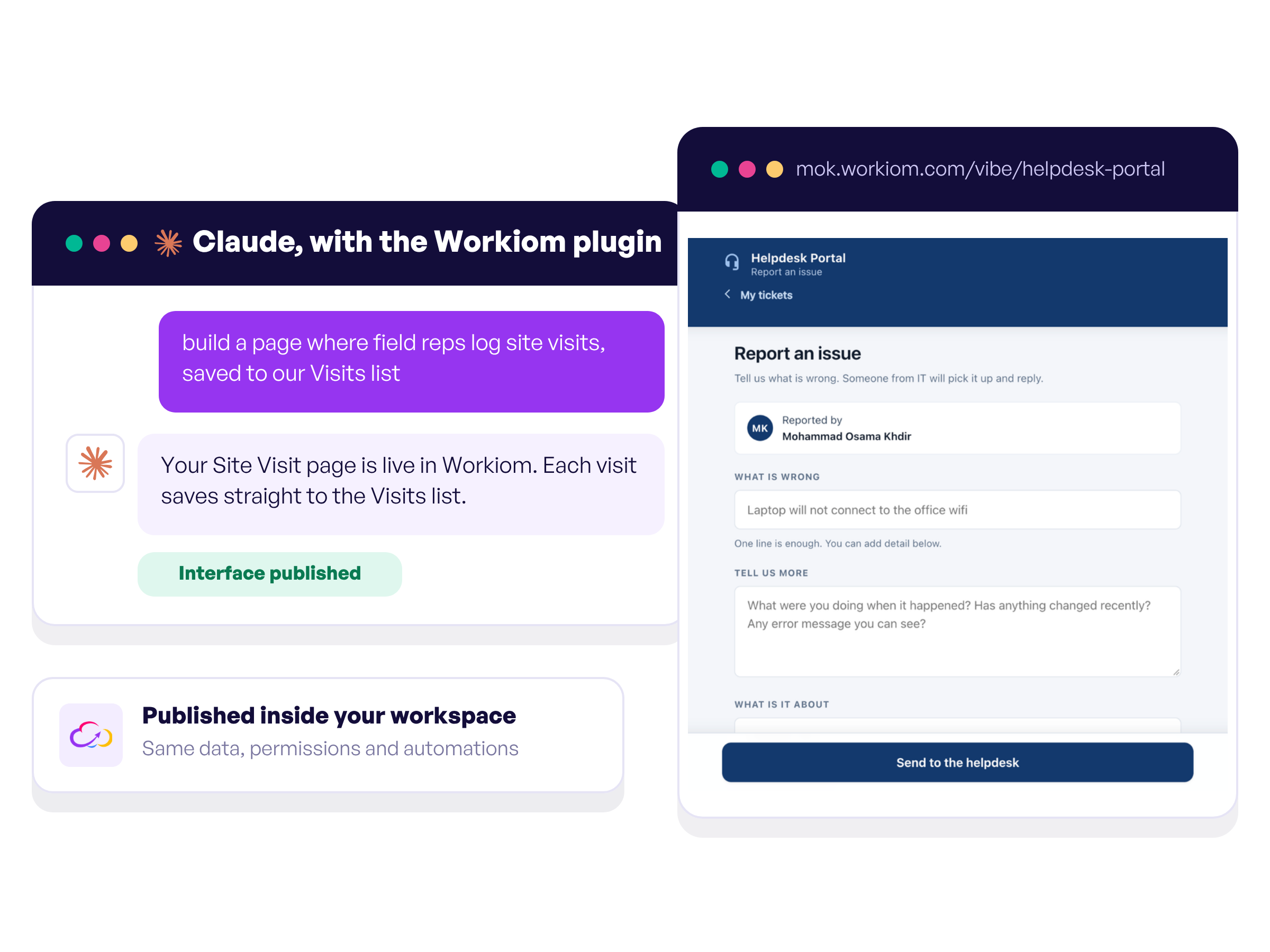
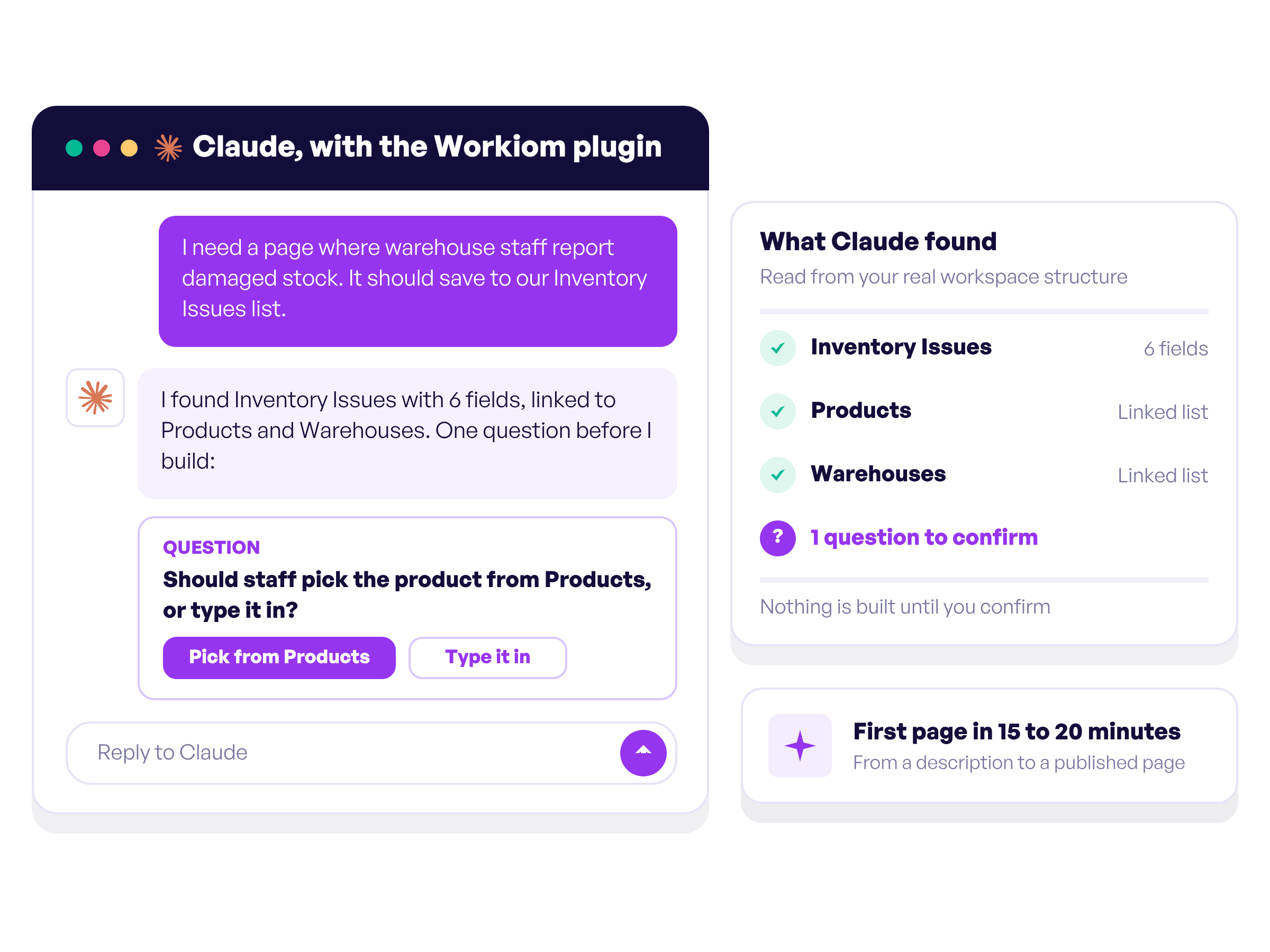
Tell Claude in plain language who opens the page, what they do there and which lists it touches. Claude reads the real structure of your workspace, confirms what it found and asks about anything unclear before it builds. A first simple page takes around fifteen to twenty minutes.
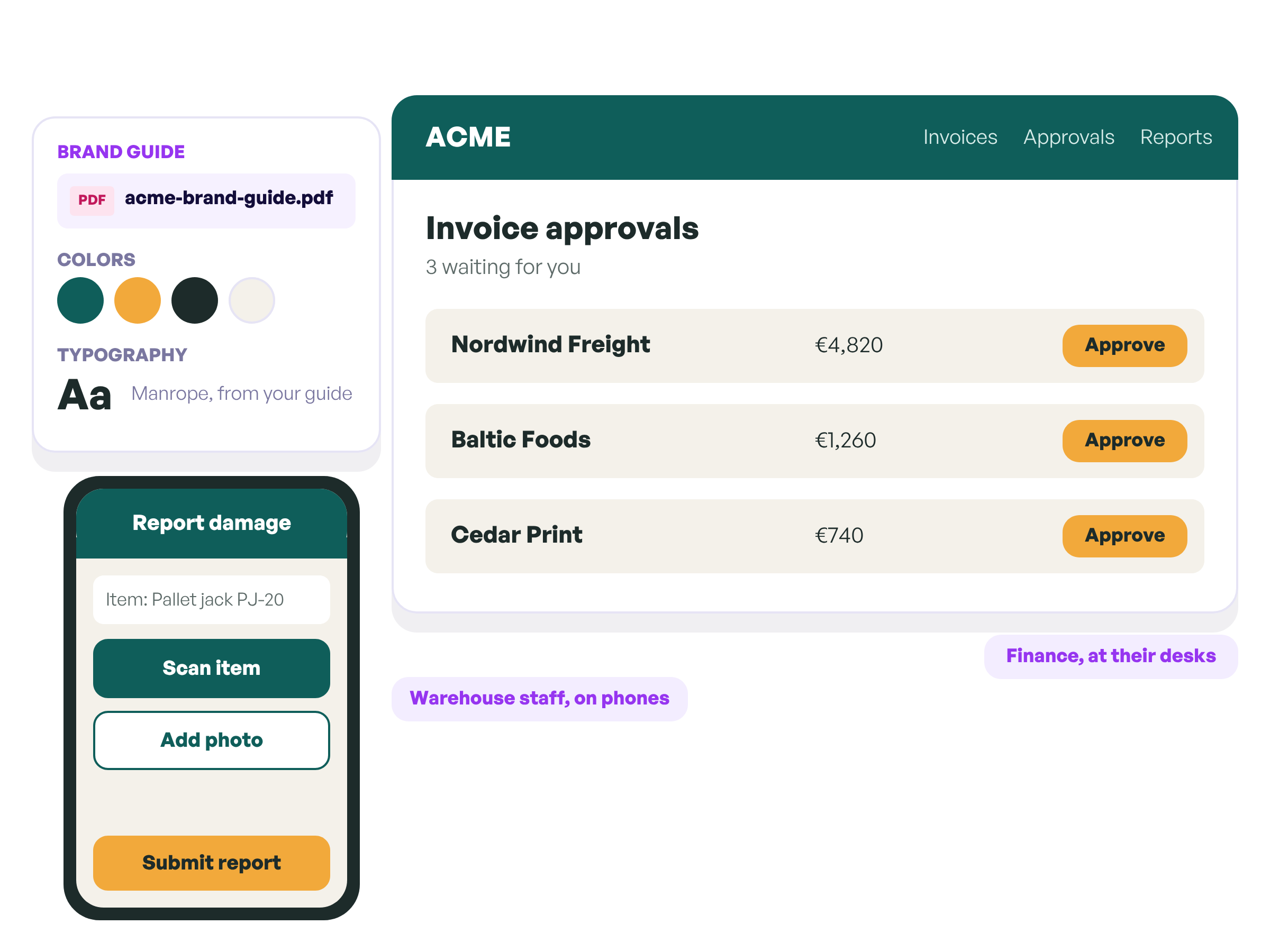
Attach your brand guide at the start, and the page picks up your colors and typography. Shape the layout and wording around the people who will use it, from warehouse staff on phones to finance teams at their desks.
Book a demo and see how a custom page is built on top of your Workiom lists.
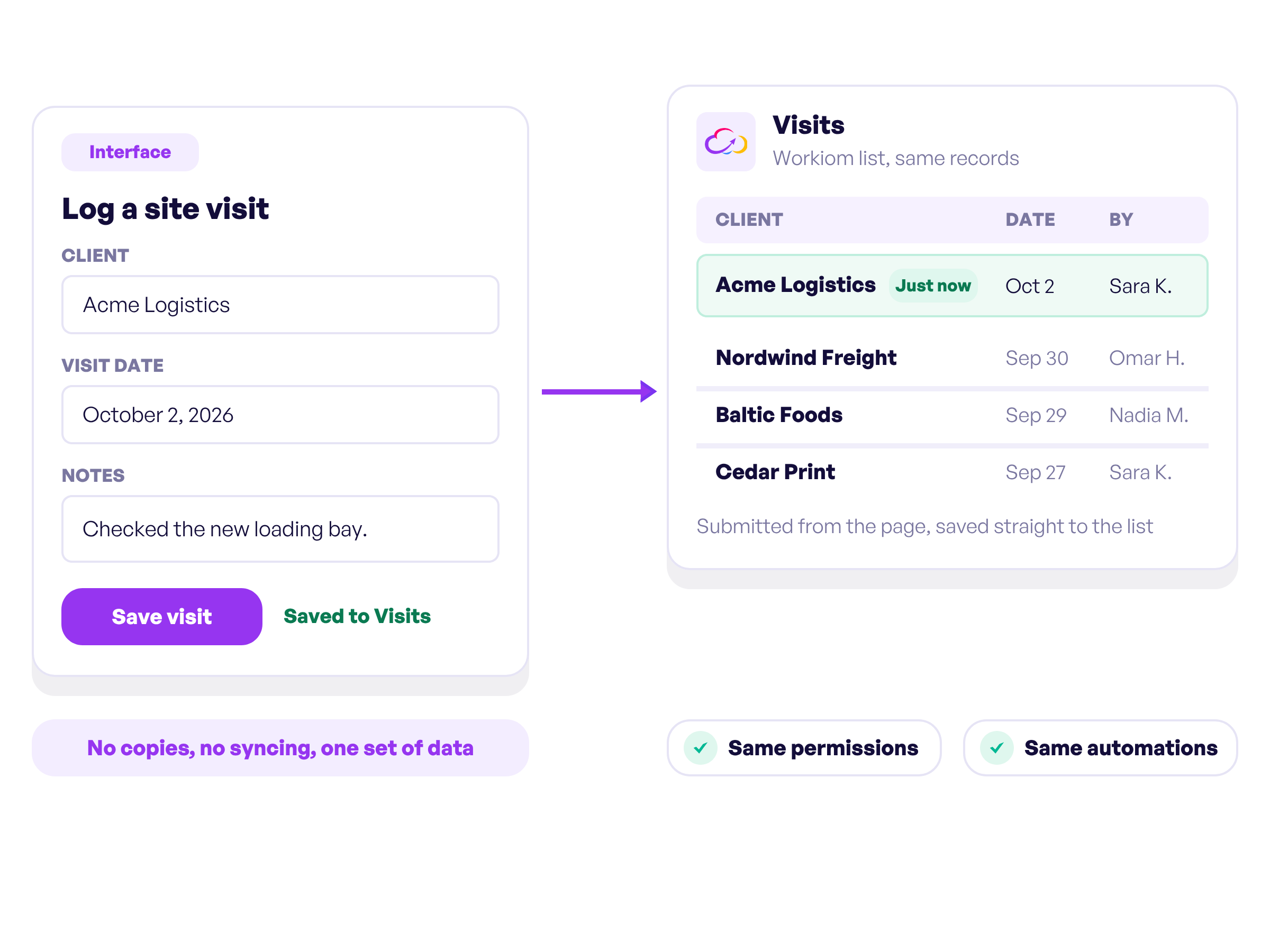
An Interface reads and writes the same Workiom lists, with the same permissions and the same automations. Your data never moves or gets duplicated, and whatever someone submits lands straight in the list.
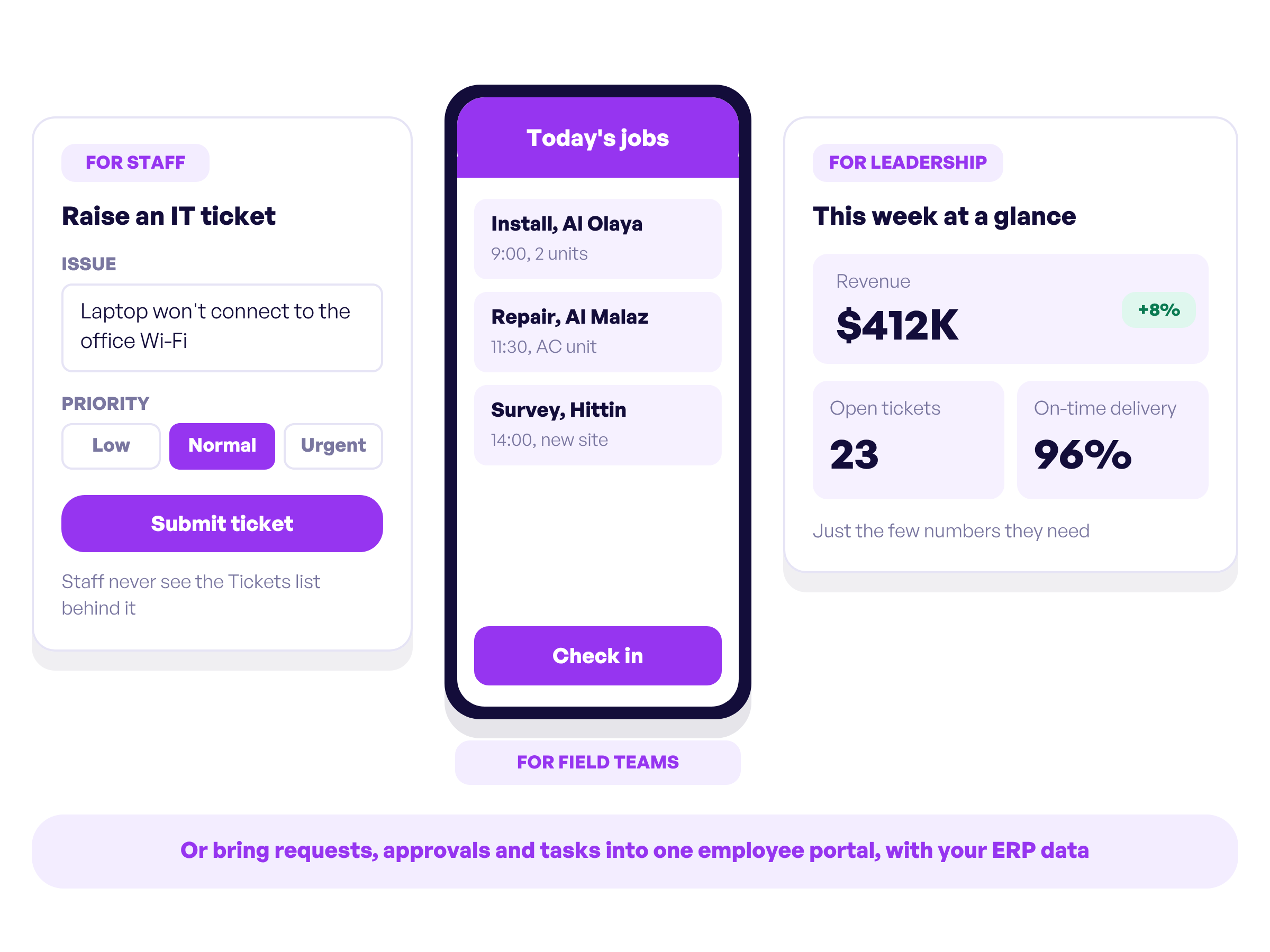
Give staff a ticket form without exposing the list behind it, field teams a mobile-friendly page, and leadership a summary screen with the few numbers they need. Or bring requests, approvals and tasks together in one employee portal, powered by Workiom and your ERP data.
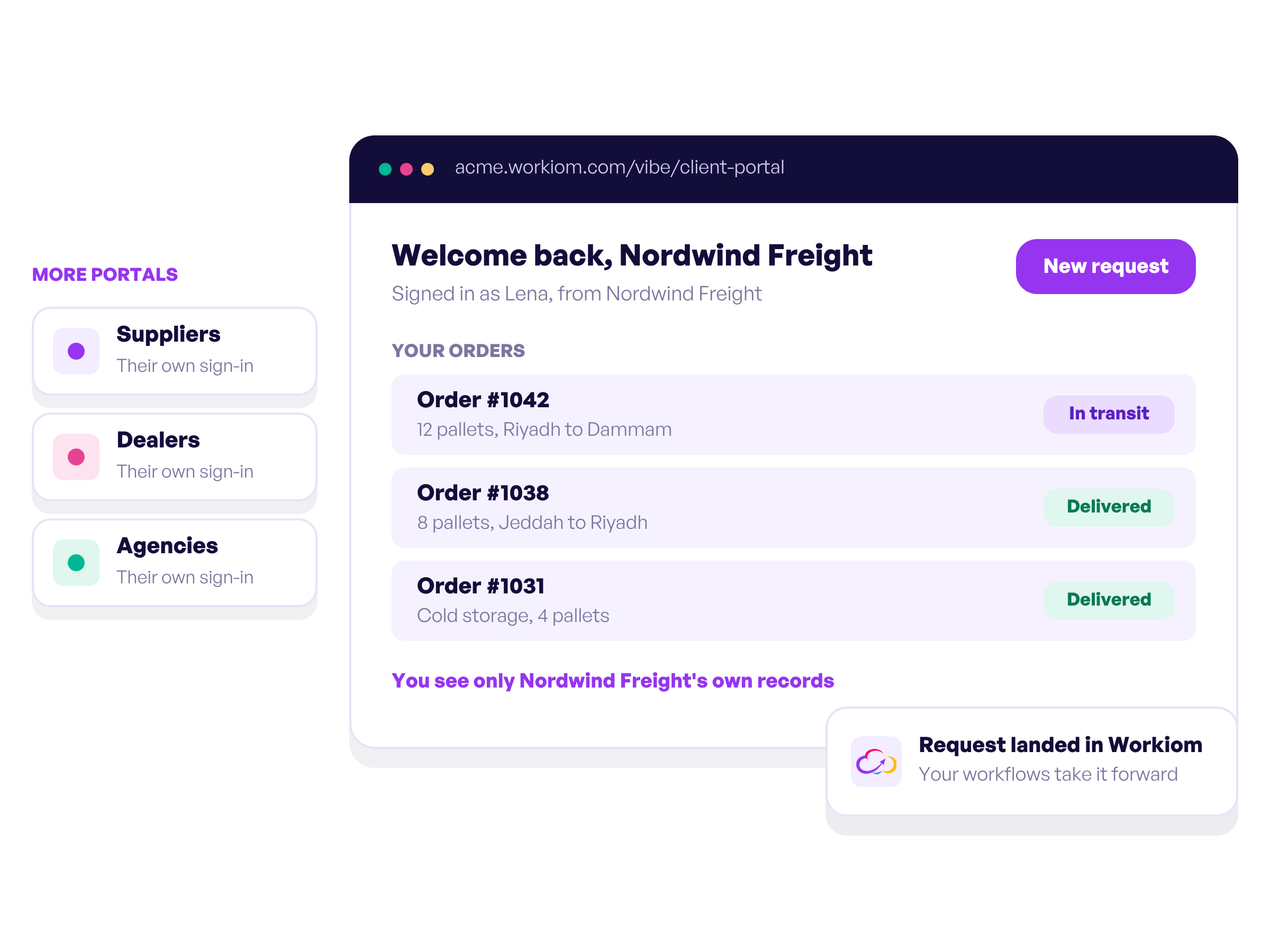
Build a client portal where each customer signs in and sees only their own records, or dedicated portals for suppliers, dealers and agencies. Requests land in Workiom, where your workflows and teams take them forward.
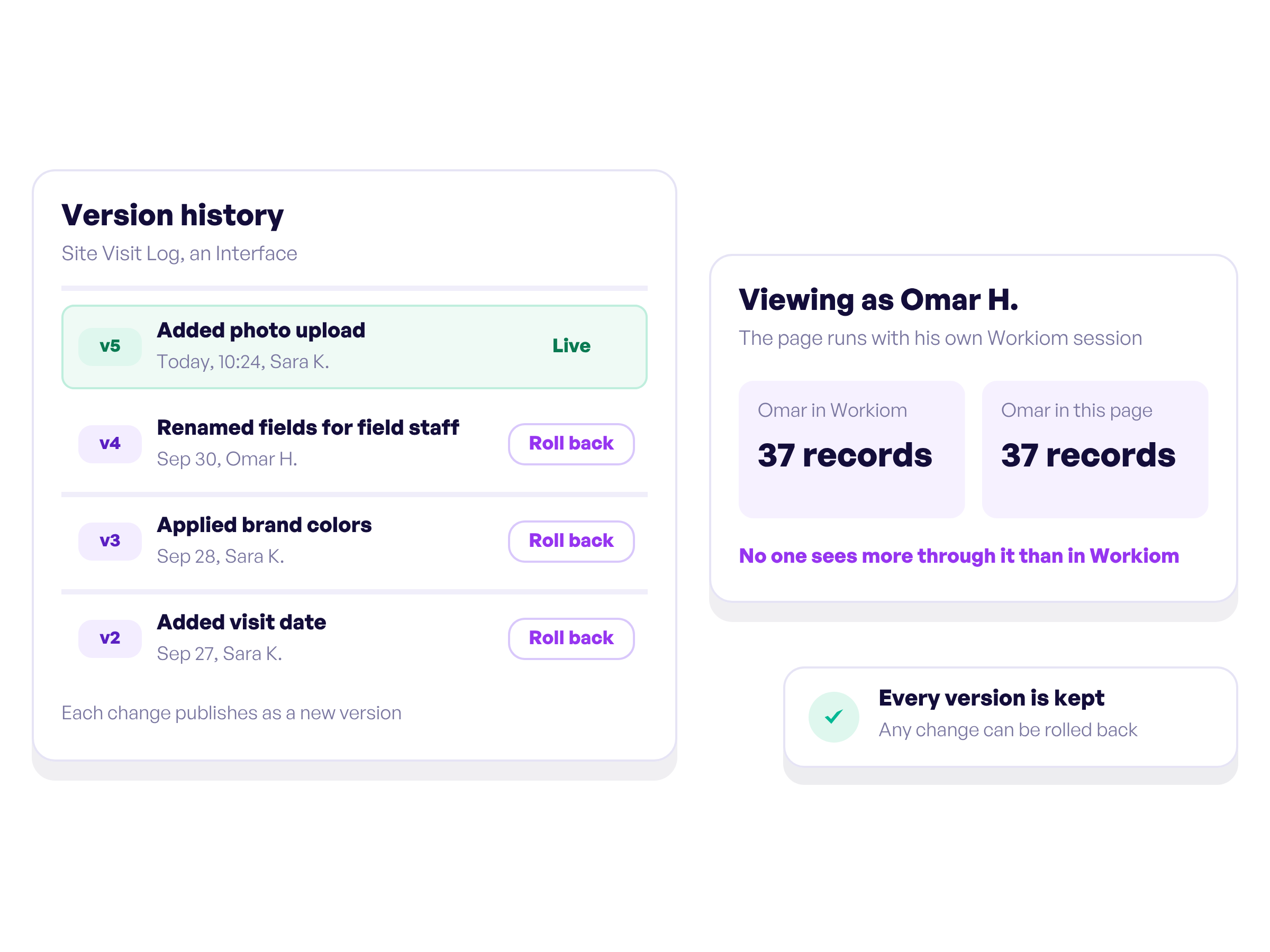
An Interface runs with the viewer's own session, so no one sees more through it than they can see in Workiom. Each change publishes as a new version, every version is kept, and any change can be rolled back.
No. You describe the page in plain language, and Claude builds it on top of your real Workiom lists.
Claude with the Workiom plugin installed. The plugin includes the Workiom MCP connection. Interfaces also need to be switched on for your workspace, which we do on our side. The plugin guide walks you through setup.
Everyone signs in with their own Workiom account and sees only what they are allowed to see in Workiom. Sharing the link never shares the data behind it.
Yes. People can attach photos and files when they submit through an Interface.
Workspace super admins, for now. Anyone can design one in conversation with Claude.
Yes. Ask Claude for the change and a new version publishes. Every version is kept, so any change can be rolled back.
Explore our no-code features that will elevate your workflows and make those big decisions confidently!

Automate your workflows, get in touch with your team with smart notifications, automated emails, and SMS.

Report types of all kinds, including pie, bar, table & more charts!
Start making decisions accurately and on-the-go.

Quick search & advanced filter. table, board and calendar views, choose what suits your project more!
You can create your own applications, lists, fields, forms, templates, permissions, and reports, and customize them so that they are exactly the way you like them.

.svg)

.svg)
.svg)