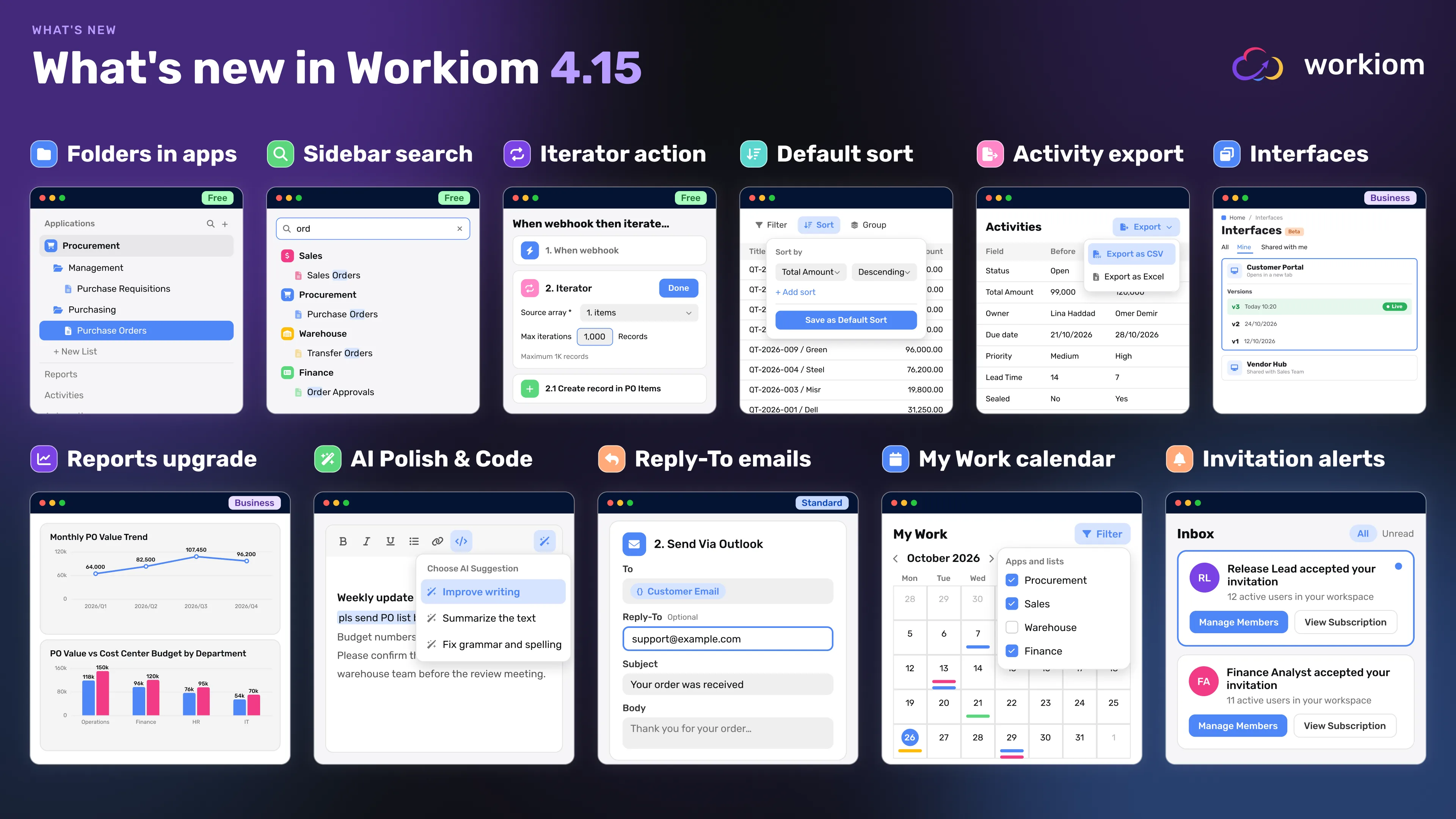
Check out our latest features, and updates built specifically with you in mind.
Overview
Workiom 4.15 introduces Interfaces (custom pages built on your Workiom data) and helps your team find lists faster, organize complex apps into folders, run automation steps for every item in a webhook array, and read richer charts on your dashboards. This update also adds default sorting for shared views, AI text polish and code formatting, a Reply-To field in Outlook email actions, detailed activity log exports, and clearer workspace notifications.
Meet Interfaces
You can now describe the page your team needs to Claude and publish it as an Interface that works with your real Workiom lists. Available in Beta on the Business plan, with the Workiom plugin for Claude.
Build a ticket form, a client portal, a mobile page for staff on the move, or a leadership summary.
Everyone signs in with their own Workiom account and sees only what they are allowed to see.
Share an Interface with users and teams from Invite as Read only or Owner.
Every published version is kept in Versions, so you can go back to an earlier one.
Disable or Delete an Interface you no longer need.
As your apps grow, folders help you organize lists and keep your sidebar easy to scan. You can now create folders inside any app to group related items by workflow, department, or stage.
Create folders directly from the app sidebar and give each one a custom name.
Keep related lists, dashboards, and forms together in folders so the navigation stays clean.
Collapse or expand folders at any time so your team focuses on the items they need right now.
Finding a specific list across a large workspace no longer requires clicking through multiple apps. The sidebar search now looks across all your apps, folders, and lists from a single input.
Press the search icon in the sidebar and type any part of an app, folder, or list name.
See matching lists grouped under their parent app and folder so you always know which workspace area you are opening.
Jump straight to the list or dashboard with one click or keyboard selection.
Iterator in Automations
When a webhook sends your automation an array of items, you often need to run the same follow-up actions on each item one by one. The new Iterator control step loops through the array and runs downstream steps for every item in it.
Pass the array received by a webhook into the Iterator.
Map fields from the current item inside downstream actions such as Create Record, Update Record, or Send Email.
Inspect each iteration separately in the automation run history to see which items succeeded.
When you configure a view for your team, you want everyone to see records in the right priority order without setting up their own personal sort first.
Admins and view creators can now sort a column, then click Save as Default Sort in the view toolbar to make it the default for a shared view.
Every teammate who opens the view starts with that default sort order automatically.
Teammates can still apply a temporary personal sort for their own session without overwriting the shared default for everyone else.
Workspace admins and compliance reviewers can now export complete field-level change history from the Activity Log.
Export activity logs to CSV or Excel with a Previous Value column for every updated field and the current value under Record, alongside the user, date, and action.
Filter the activity log by app, list, user, or date range before exporting so audit reviews stay focused.
Faster Tree View for Sublists: Parent records with deep sublist hierarchies load faster and expand smoothly without jumping your scroll position. Learn about Tree View
My Work Calendar: easier to get around and filter: Switch between Month, Week and Day views, and filter the calendar to one app's task list so you only see the tasks you care about. Explore My Work
Clearer Invitation Notifications: Workspace admins get an instant notification when an invited user accepts their invite and joins the workspace, making onboarding easier to track. Read about workspace invitations