Your Org Chart View just got more powerful. Add new cards, rearrange your hierarchy, and export the full chart — all without leaving the view.
How to take advantage of it:
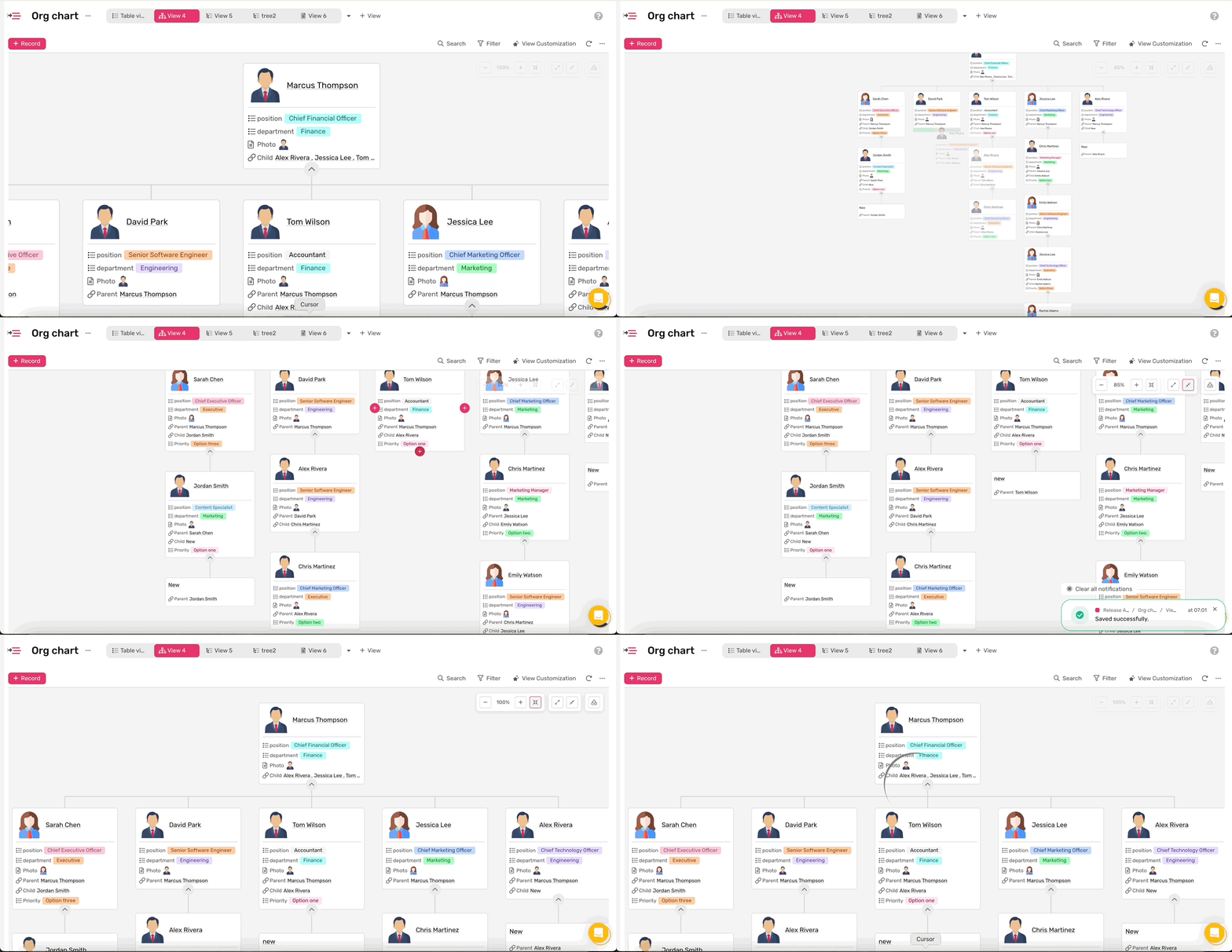
Explore how to use Org Chart View from the: Help Article
Get your quick numbers at a glance right where data is. See totals, averages, and more at the bottom of your view, always in sync with filters.
Why take advantage of it:
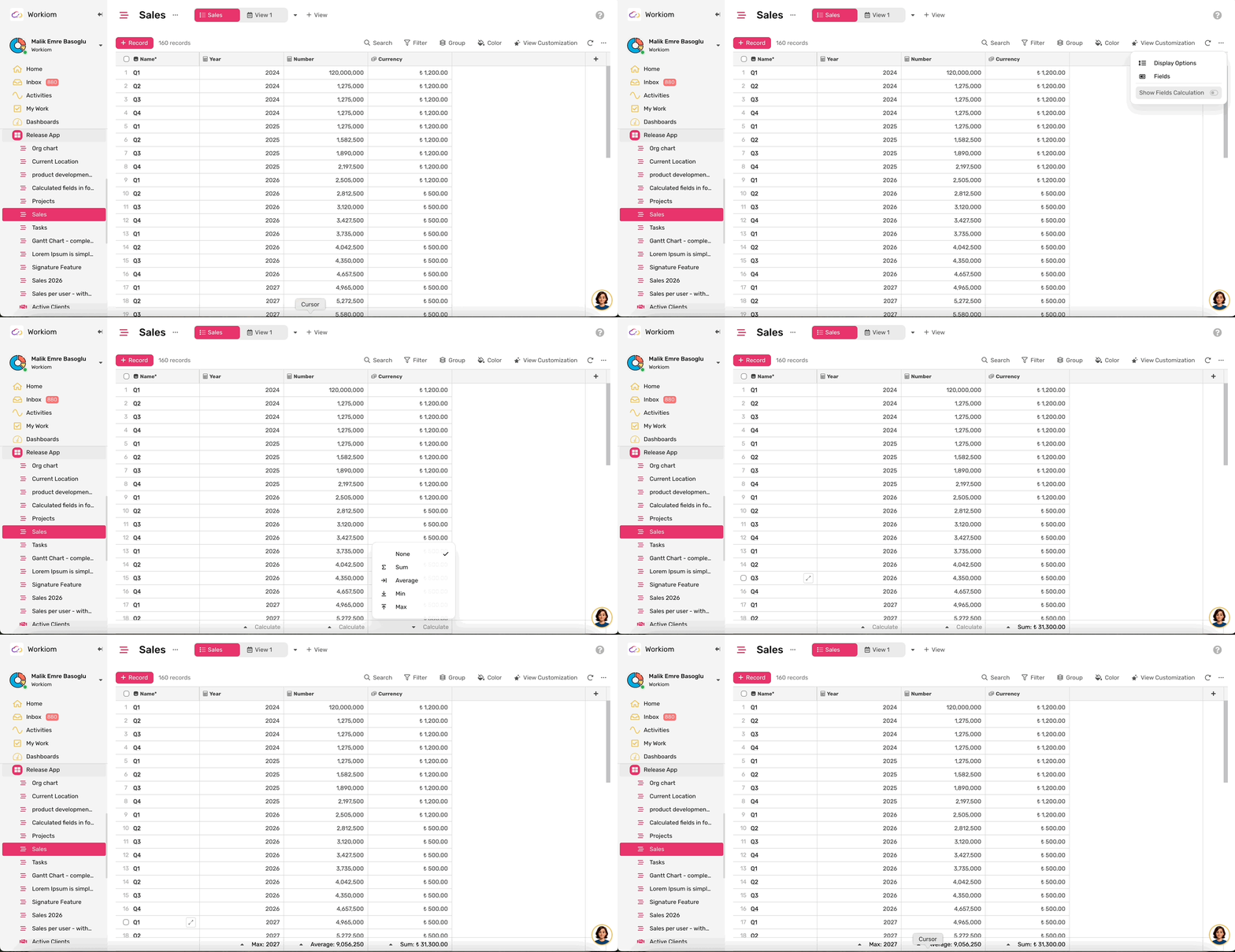
Explore how to use Column Operations from the: Help Article
Your team can now log in to the Workiom mobile app using the same Single Sign-On provider your organization already uses on the web. No separate credentials, no extra setup — just a secure, consistent login experience across every device.
Why take advantage of it:
👉 Available now on the Enterprise plan.
Admins can now set the number format for the entire workspace. Choose between International format (1,000.50) or European/Turkish format (1.000,50), and the change applies instantly across all views, reports, and exports for all users.
Why take advantage of it:
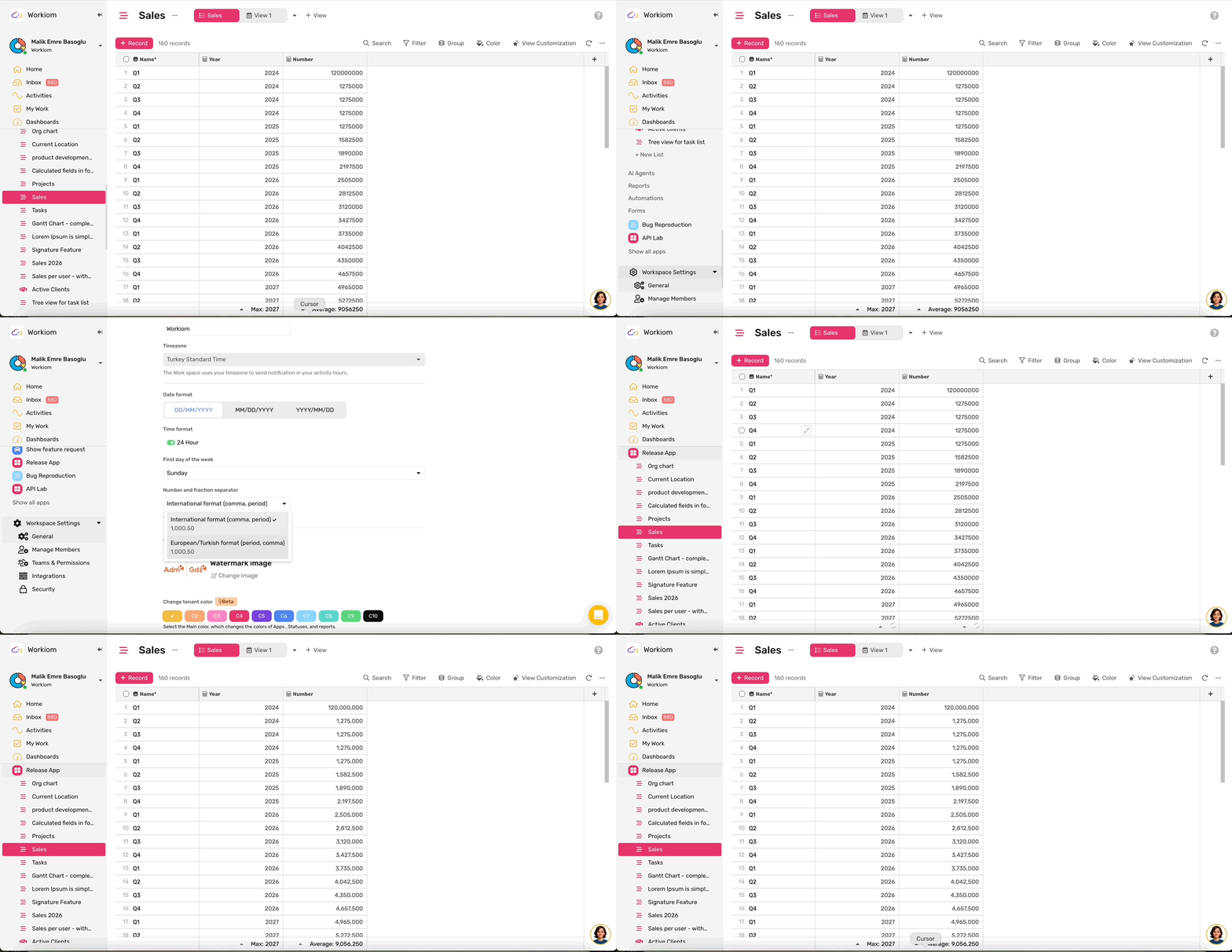
Explore how to configure number formatting from the: Help Article
You can now add calculated fields — Formula, Field Lookup, Rollup, AI, and VLookup — directly to your forms. Give your prospects a real-time cost estimation before they even submit.
Why take advantage of it:
Rollup fields just got more flexible. You can now roll up data from a referenced list in two ways — whether your current list has the linked list or the associated list does. No restructuring needed, just more ways to connect and calculate your data.
Why take advantage of it:
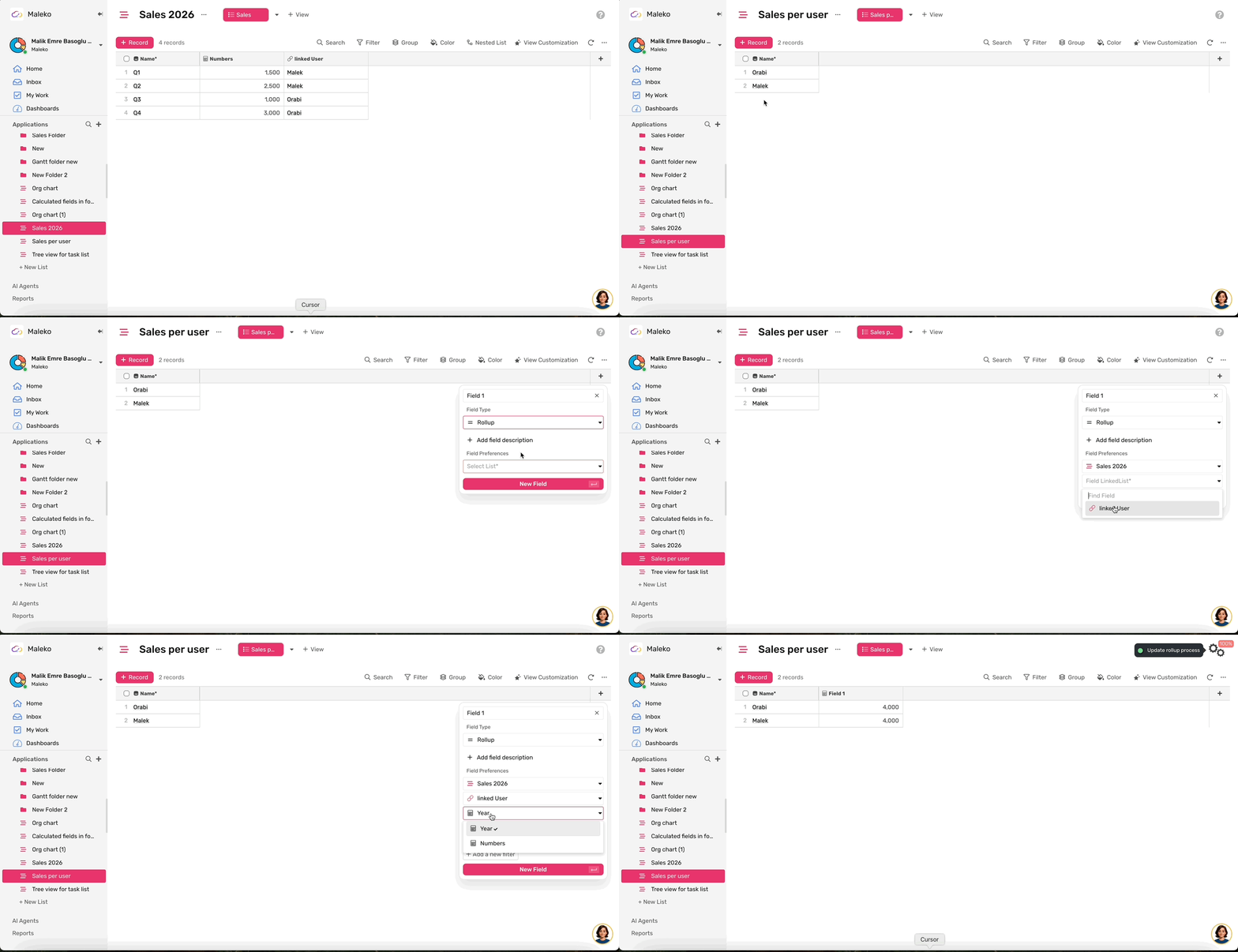
Explore how to use Rollup from the: Help Article
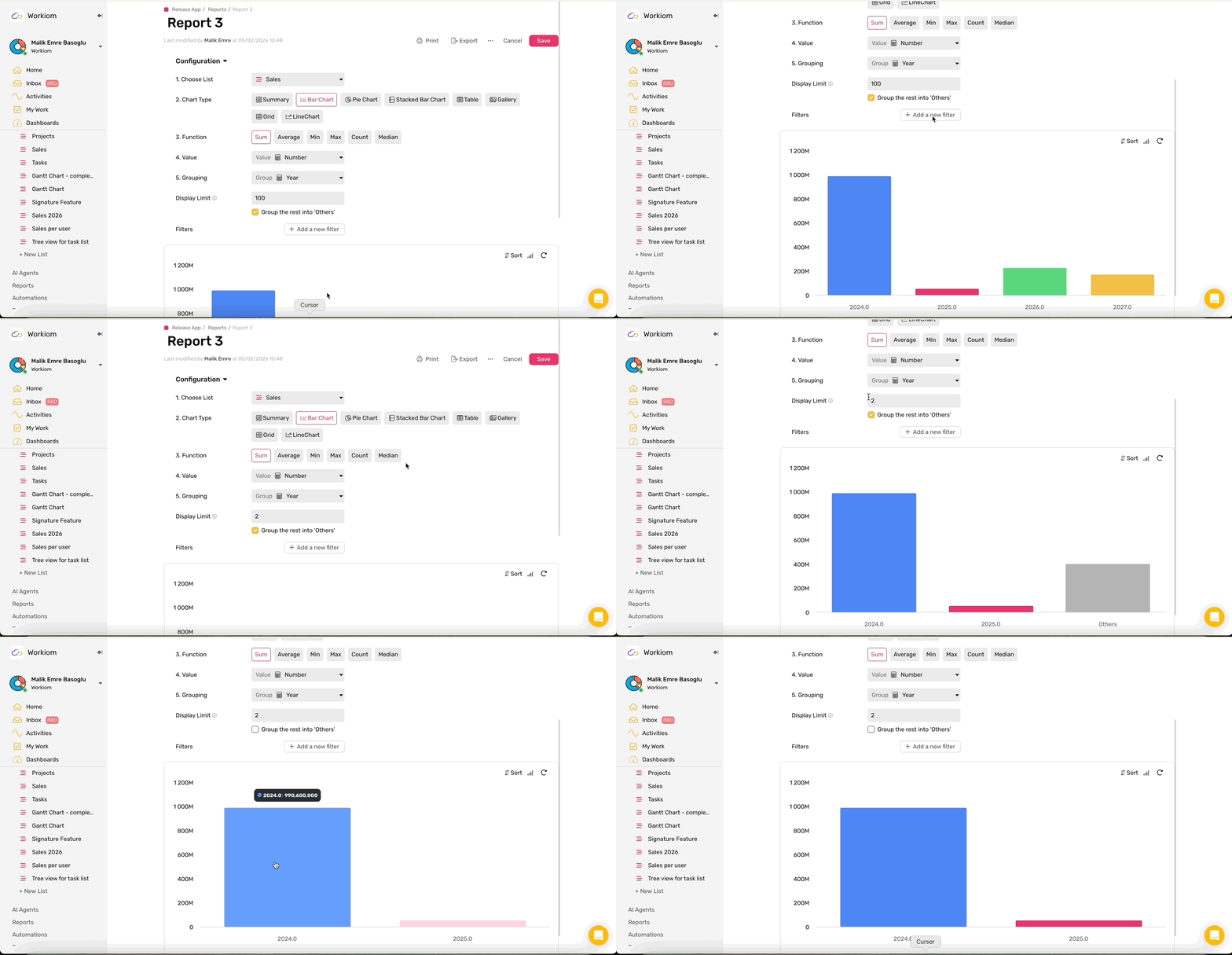
When you set a display limit on a chart — like Top 5 or Top 10 — Workiom now lets you decide whether the remaining values are grouped into an "Others" category or hidden entirely.
Why take advantage of it:
Automations with notify actions no longer fail when a user is unavailable. Instead of stopping your workflow, Workiom now marks the execution as "Success with Warning" and logs the exact reason — so your automations keep running and you always know what to fix.
Why take advantage of it:
Workspace admins can now define a list of allowed email domains — so only people from your organization can be invited or join your workspace. Invitations to any other domain are blocked before they are even sent.
Why take advantage of it:
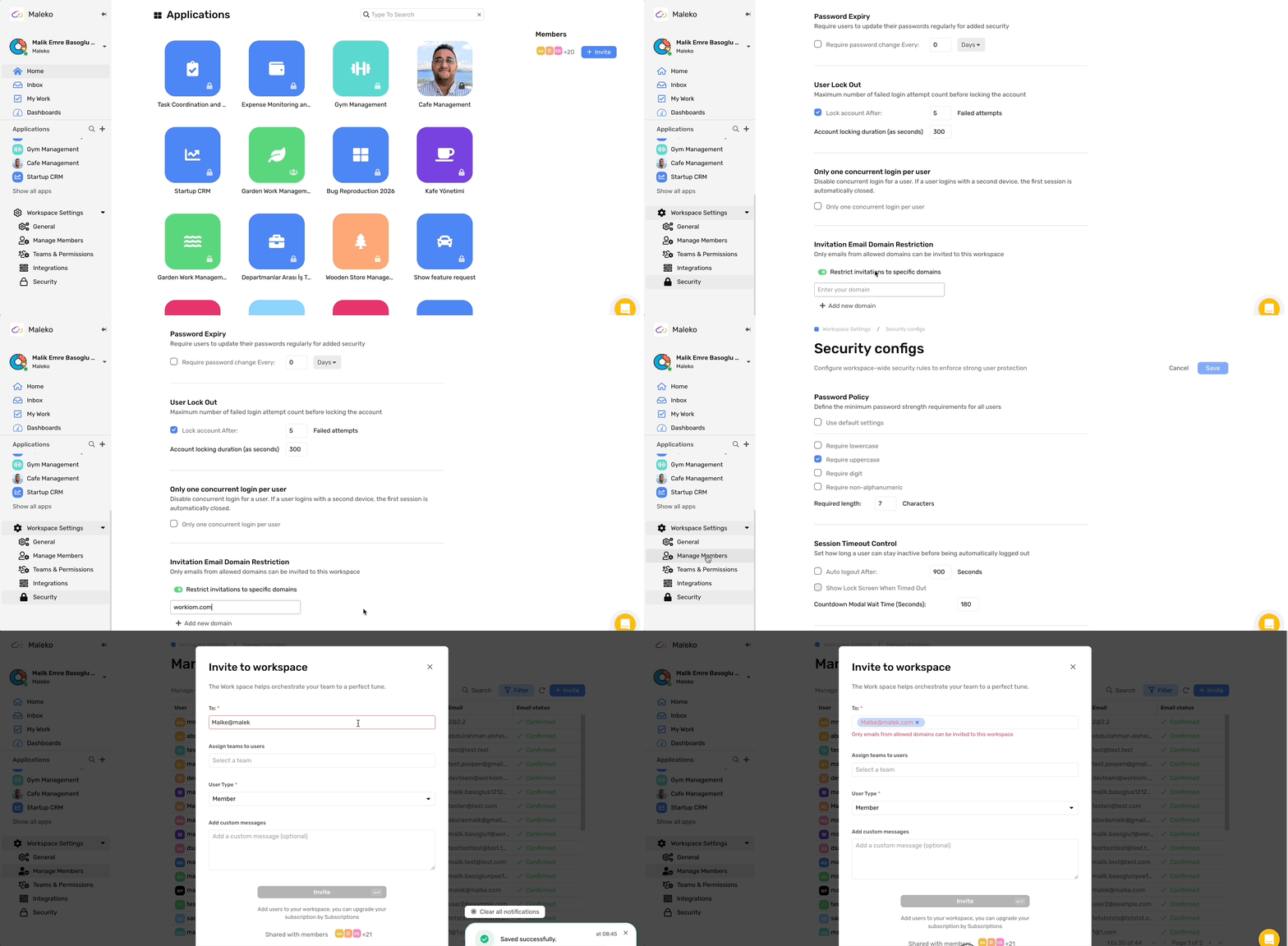
Explore how to configure email domain restriction from the: Help Article
You can now add a Signature field to any list or form and capture signatures directly — by typing or drawing. Perfect for contracts, approvals, and consent forms where a signed acknowledgment is required.
Why take advantage of it:
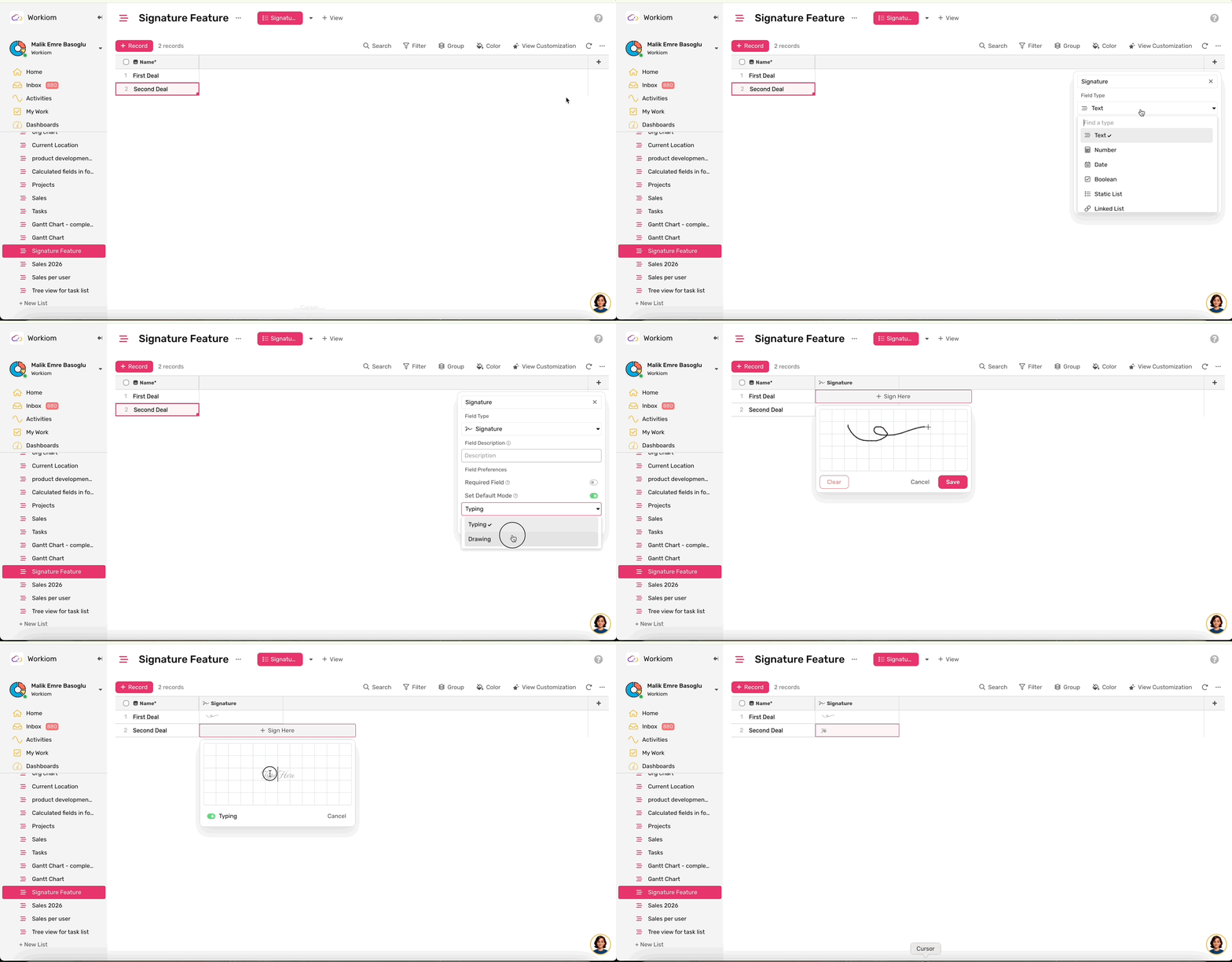
Explore how to use the Signature field from the: Help Article
Tree View is now available for Task lists. Visualize your task hierarchies in a structured, expandable layout — so you can see how tasks relate to each other and navigate complex projects more clearly.
Why take advantage of it:
Full admins can now assign trusted team members as Team Admins — giving them the ability to manage app permissions within a specific team, without granting full workspace admin access.
Why take advantage of it:
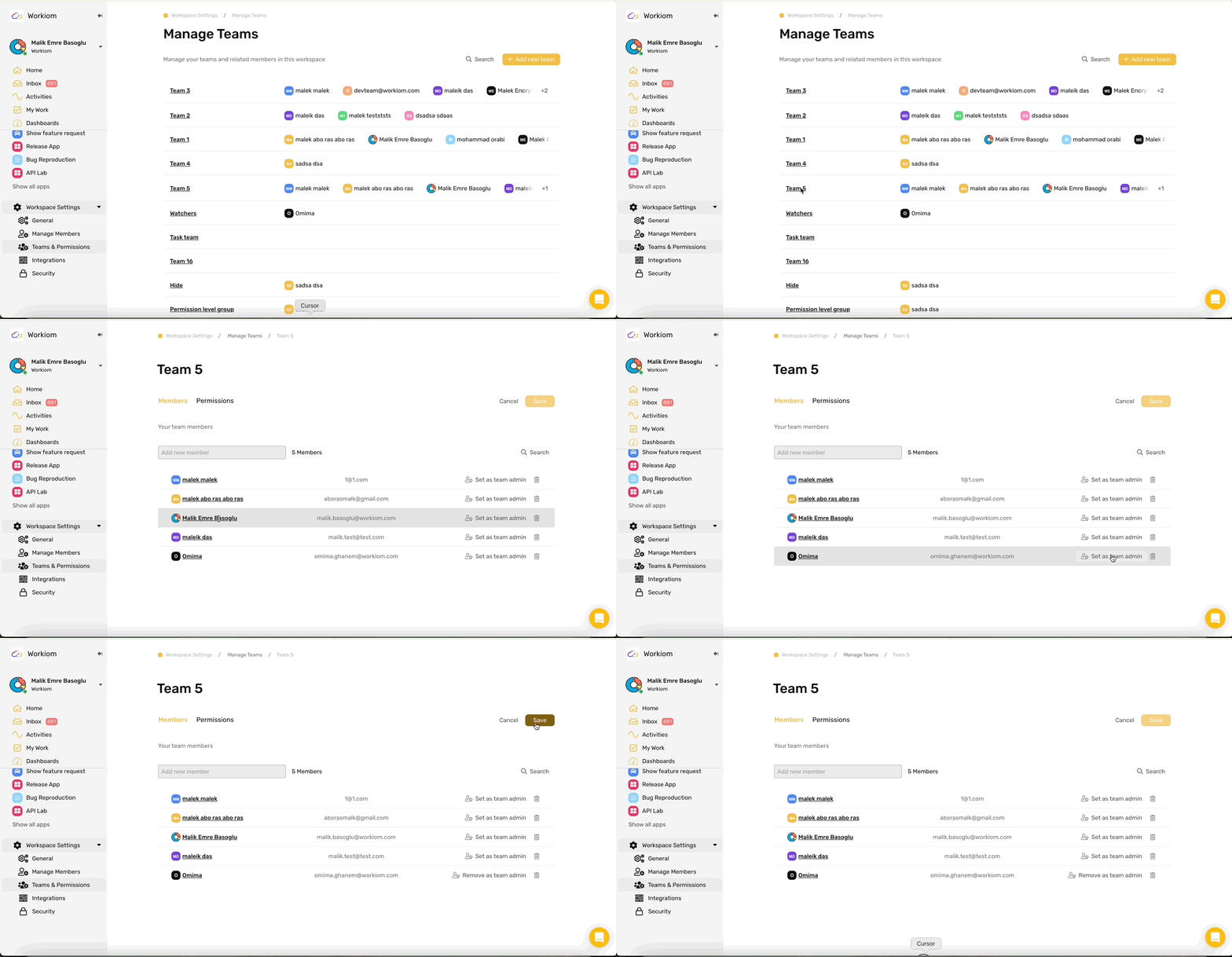
Explore how to use the Team Admin role from the: Help Article
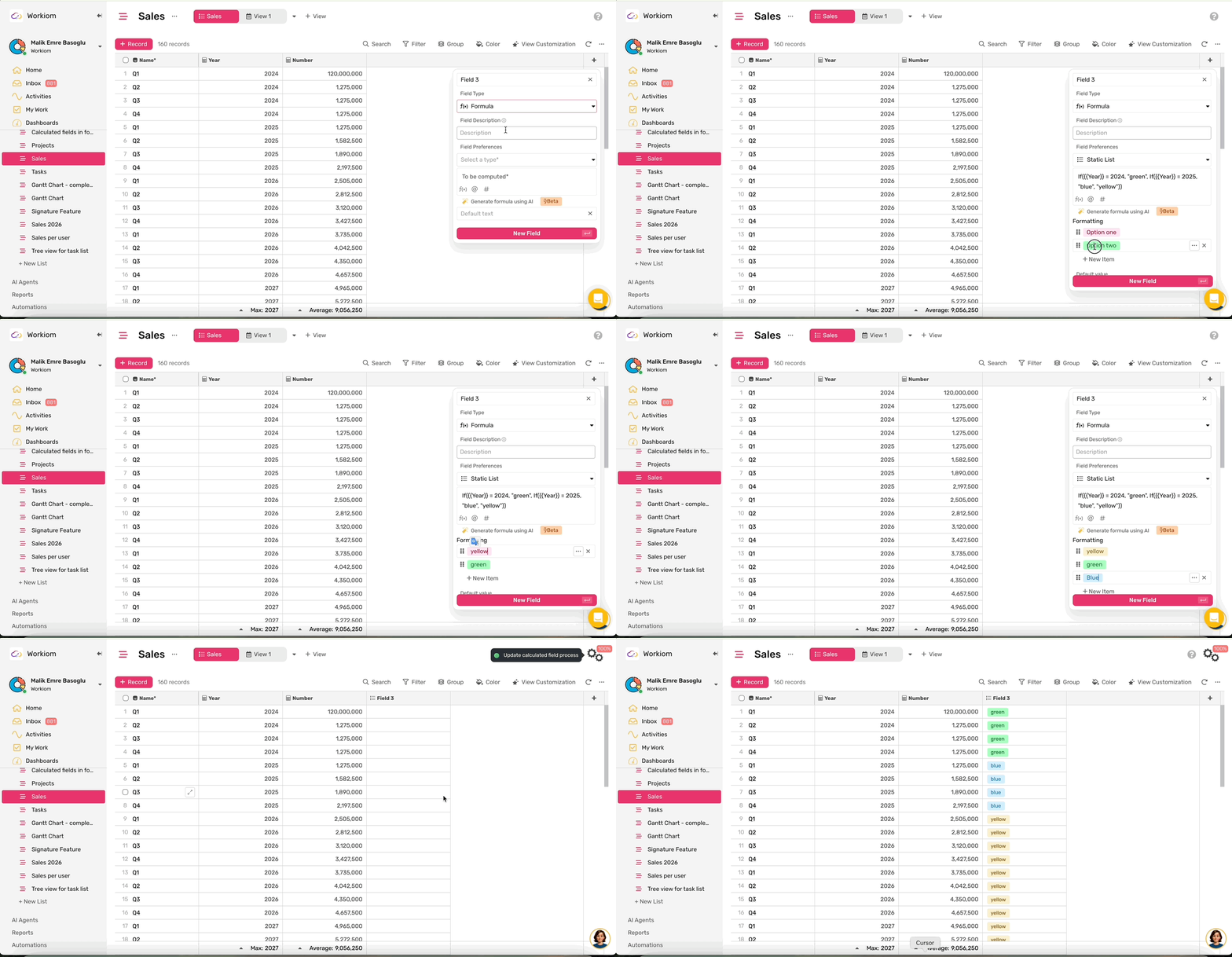
Formula fields can now output results as a static list — with labels and colors you define. Map each formula result to a specific list item, and use those items across filters, automations, and reports just like any other static list field.
Why take advantage of it:
You can now capture the complete response from a Call API action and store it directly into a record field — no need to extract individual properties manually.
Why take advantage of it:
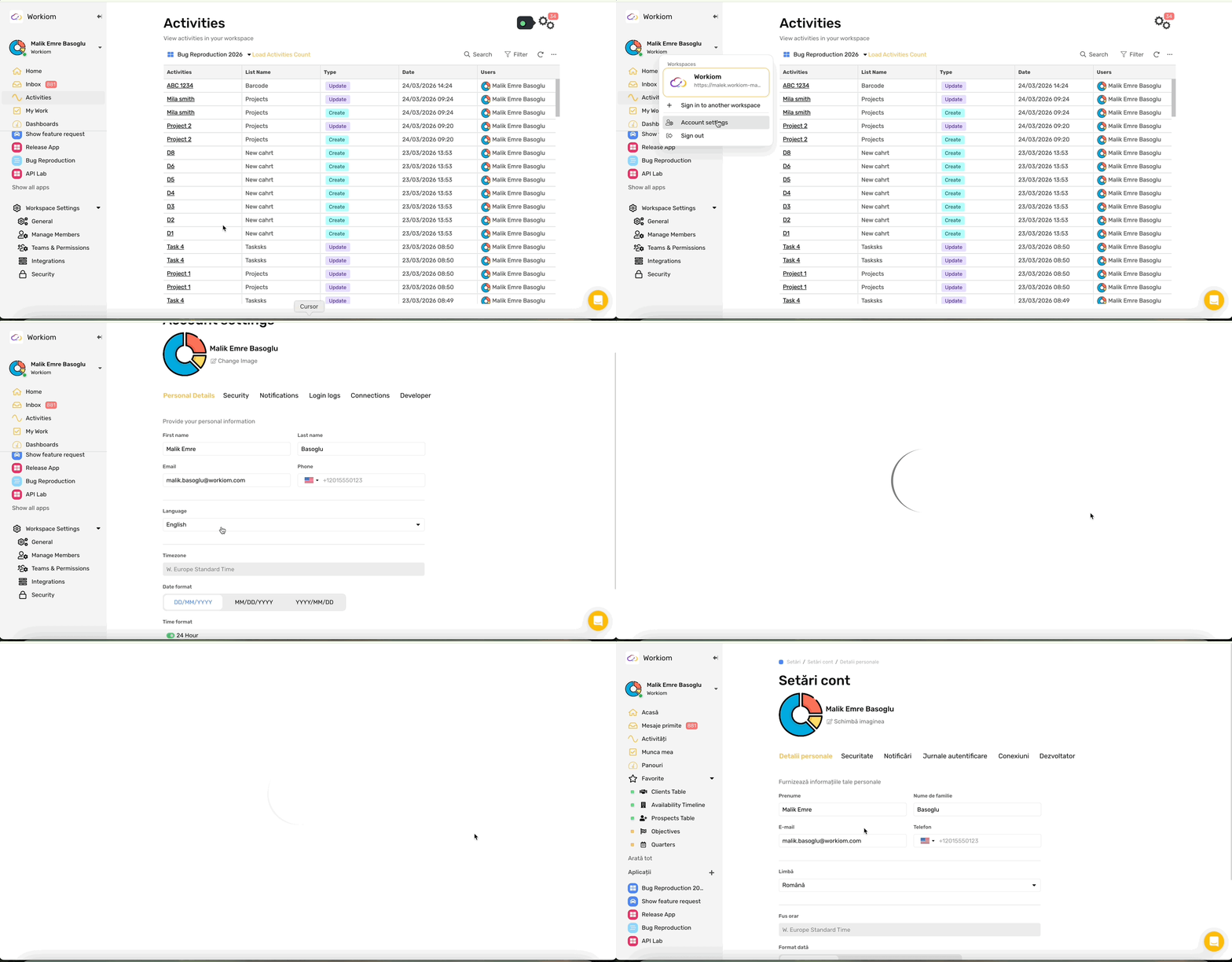
Workiom now supports Romanian as a platform language across the full system. Users can select Romanian from their Account Settings and experience the full platform — menus, views, forms, automations, reports, system notifications, and emails — entirely in Romanian.



.svg)
.svg)