🏢 New Feature: Org Chart View
Visualize your organizational structure like never before with Org Chart View. Display hierarchical relationships in an interactive layout that makes reporting lines instantly clear.
Why take advantage of it:
- Navigate complex organizational structures and understand team relationships at a glance
- Visualize reporting lines and hierarchy levels instead of clicking through records
- See your entire organizational structure from leadership to individual contributors
👉 Available now on the Business plan.
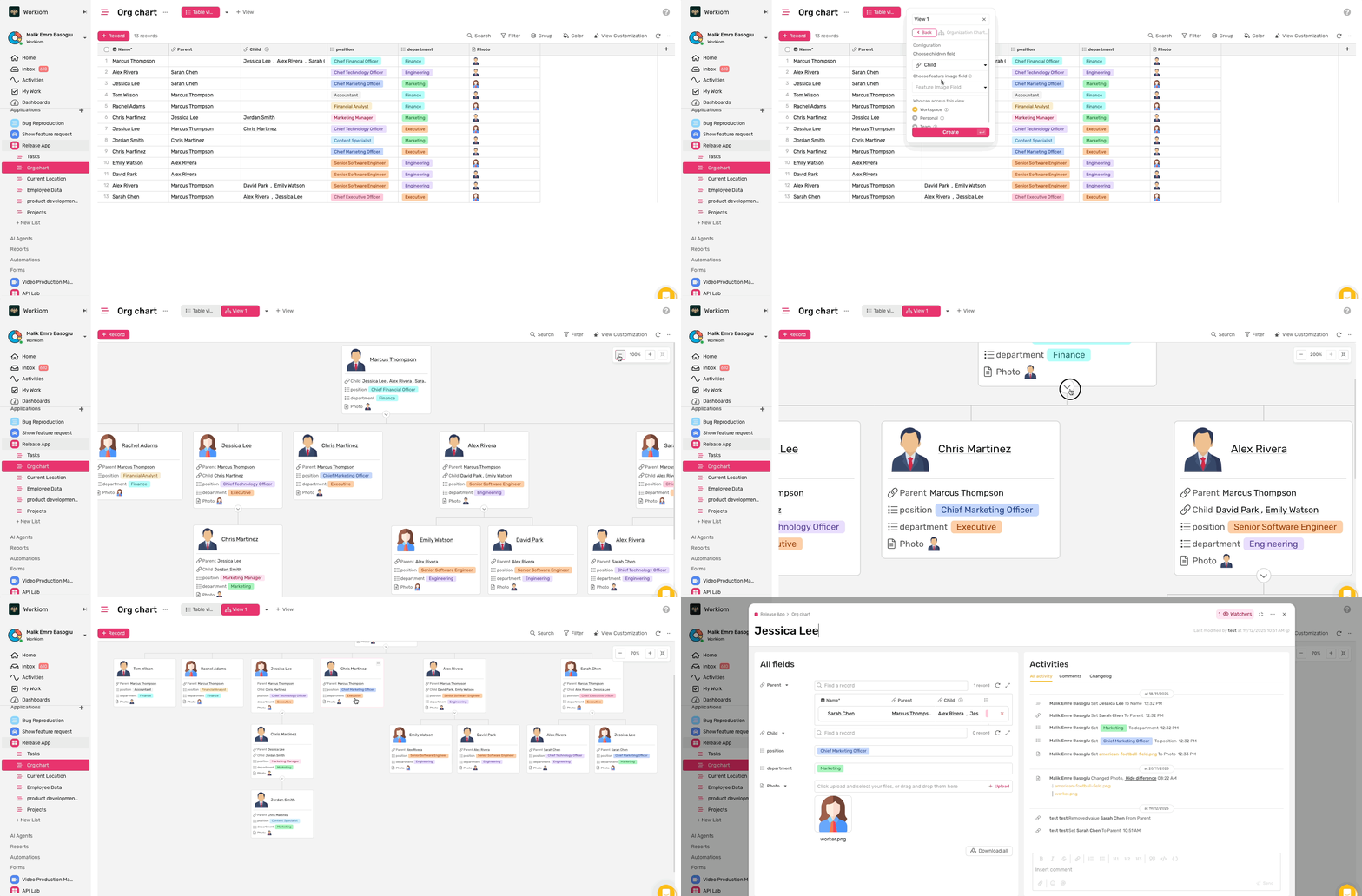
Explore how to use Org Chart View from the help article:
Help Article
🌳 New Feature: Tree View
Manage hierarchical data with ease using Tree View. Display parent-child relationships in a structured tree format that makes complex hierarchies simple to navigate and understand.
Why take advantage of it:
- Visualize nested relationships and multi-level hierarchies in a clean, organized layout
- Navigate through unlimited hierarchy levels with expand and collapse controls
- This view is available for Data and Task list types
👉 Available now on the Business plan.
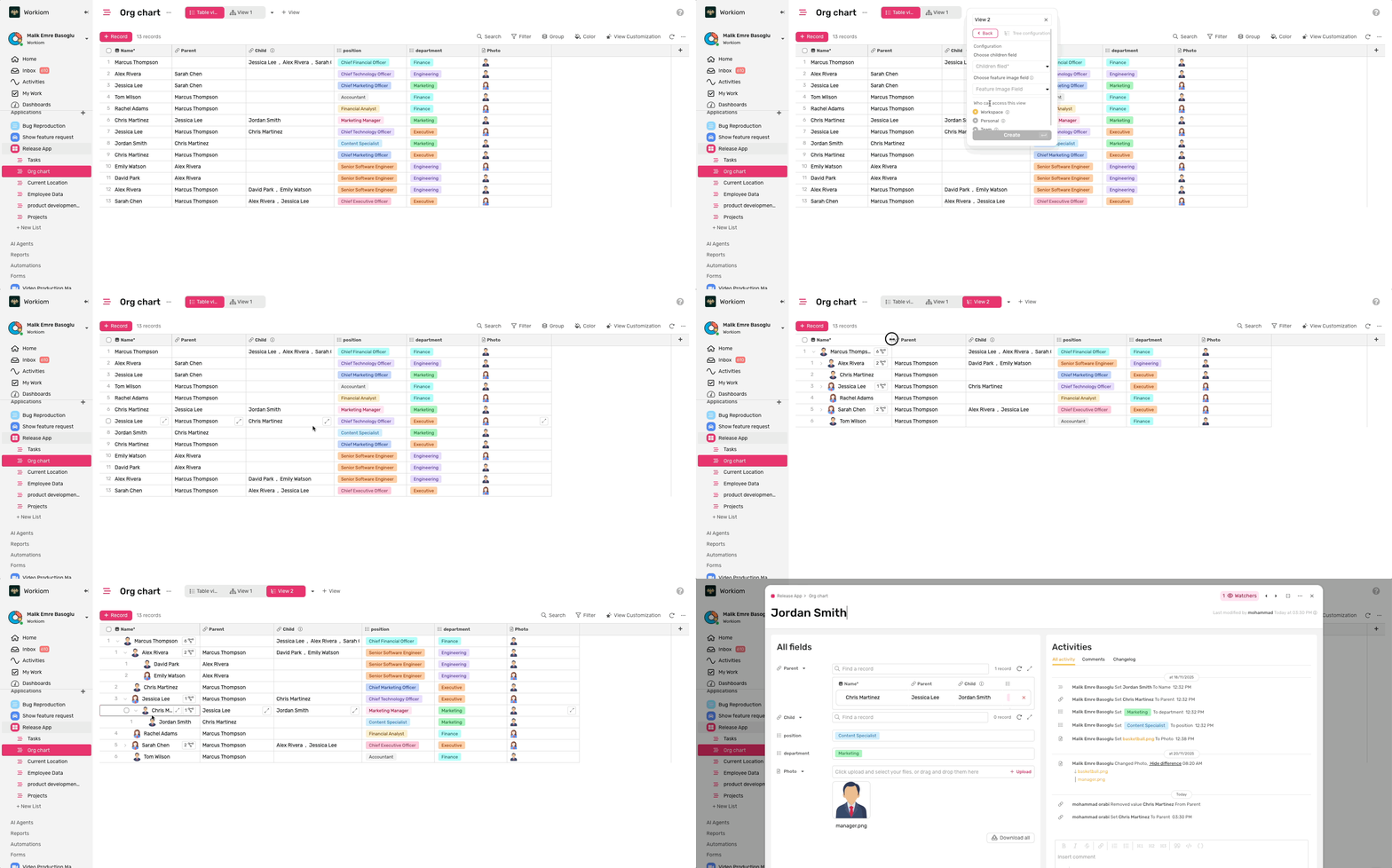
Explore how to use Tree View from the help article:
Help Article
🖼️ New Feature: Gallery View
Browse your records visually with Gallery View. Display your data as interactive cards with image thumbnails and customized field previews for a more engaging way to manage information.
Why take advantage of it:
- Visualize records with image thumbnails for quick identification and better context
- Customize which fields appear on each card to show only what matters most
- Reorder cards with drag-and-drop to organize your records your way
👉 Available now on the Business plan.
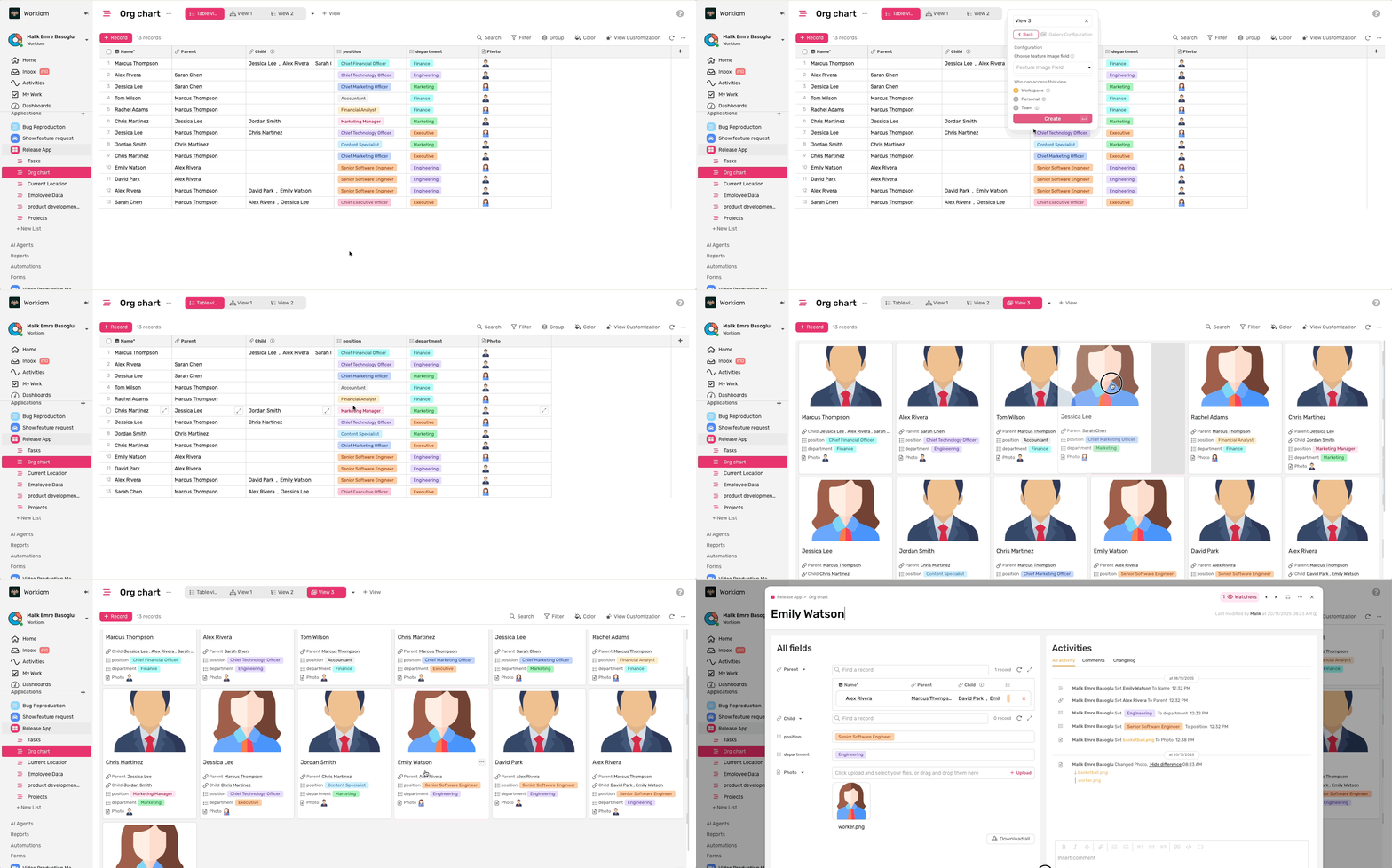
Explore how to use Gallery View from the help article:
Help Article
🔑 New Feature: Multiple API Keys Management
Generate and manage up to 5 API keys for secure integrations. Create custom-named keys, copy them once during creation, and revoke access anytime you need.
Why take advantage of it:
- Organize integrations by creating separate keys for different applications or environments
- Enhance security by revoking specific keys without affecting other integrations
- Track key usage easily with custom names and creation dates for better management
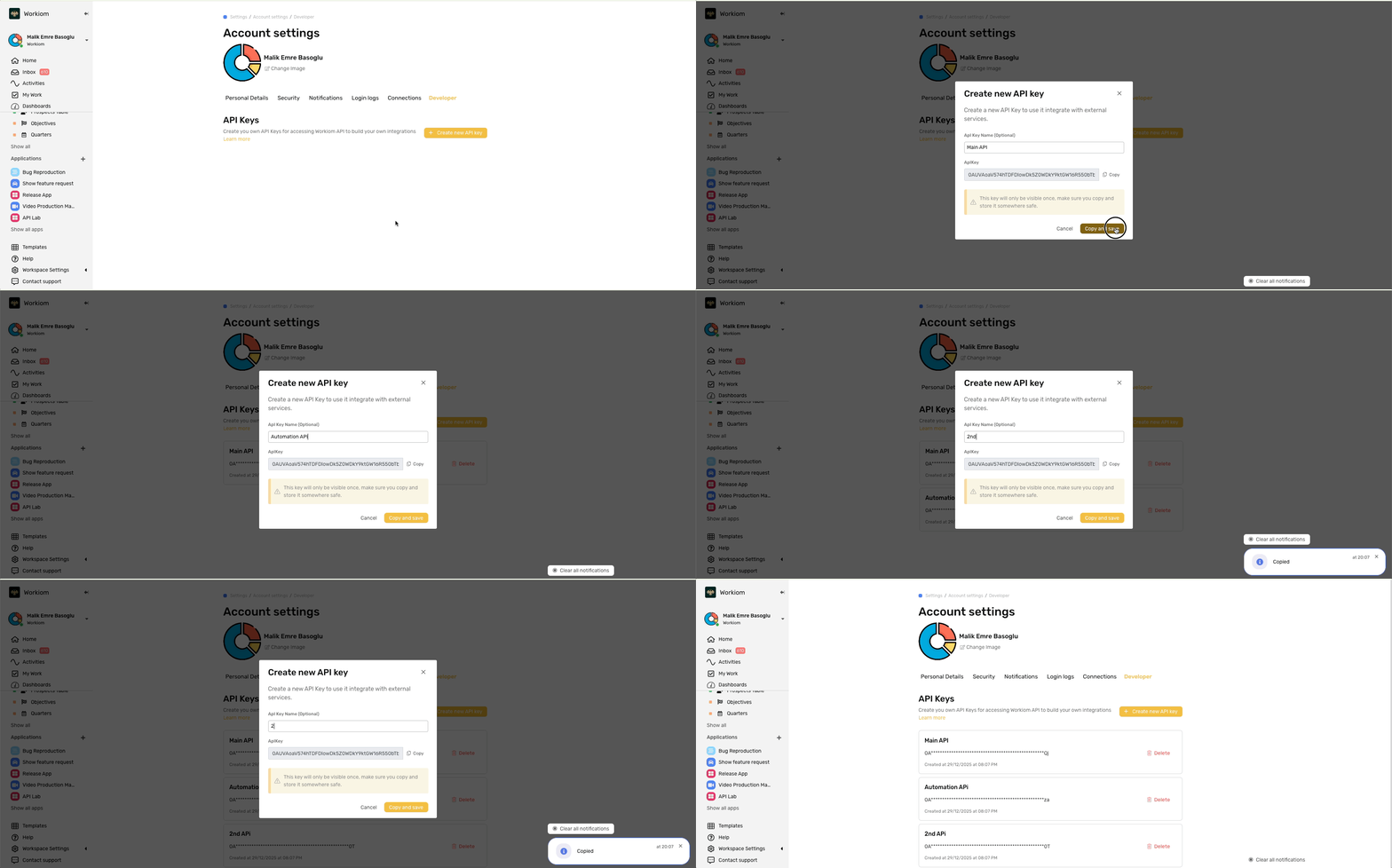
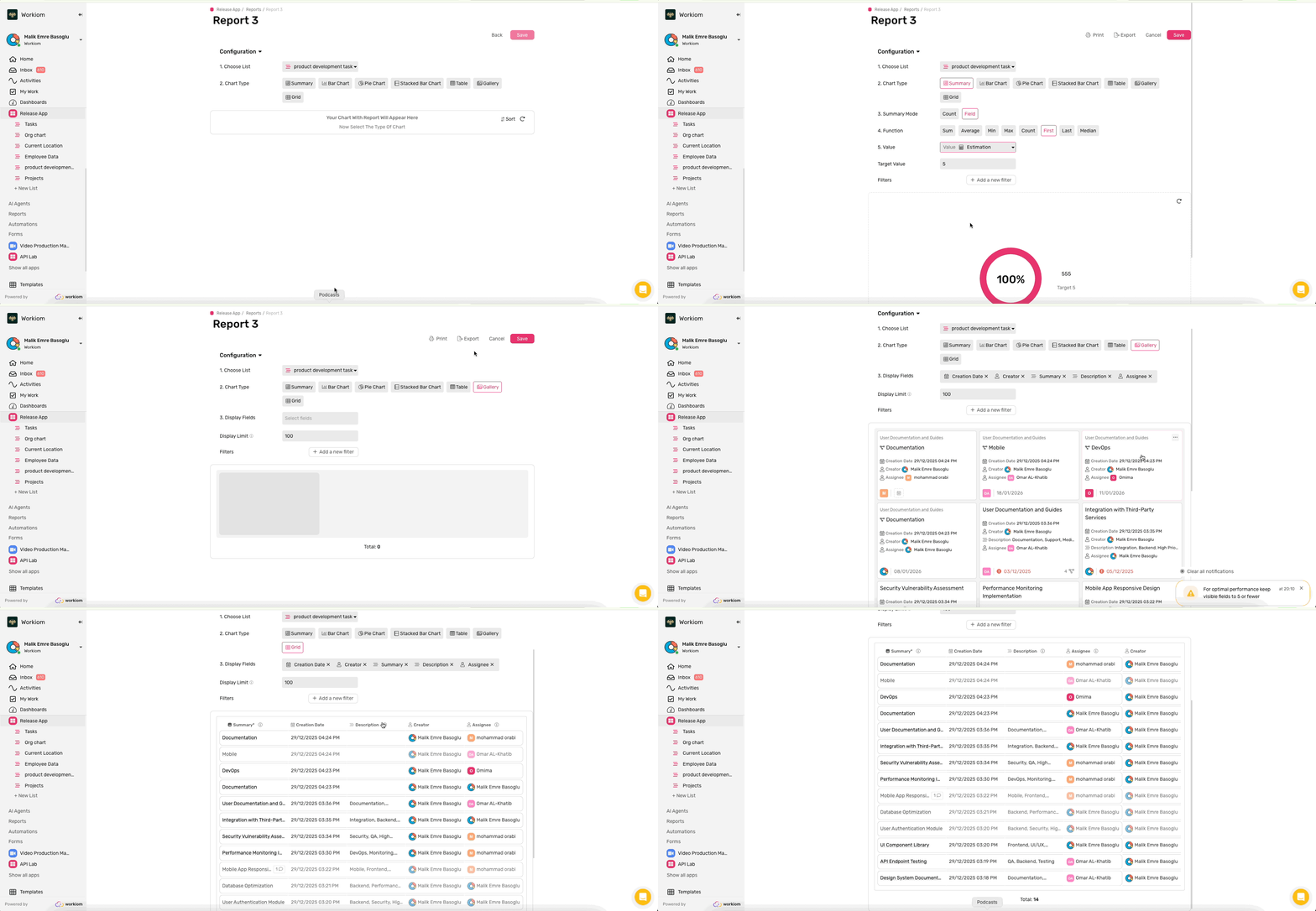
📊 New Feature: Advanced Reporting Features
Unlock powerful new ways to visualize and analyze your data with three new reporting capabilities: First/Last Record functions, Grid reports, and Gallery reports.
Why take advantage of it:
- Report on dynamic values from specific records using First and Last functions with custom views
- Display records in familiar table format with Grid reports for structured data presentation
- Visualize data with image-rich Gallery reports for more engaging card-based presentations
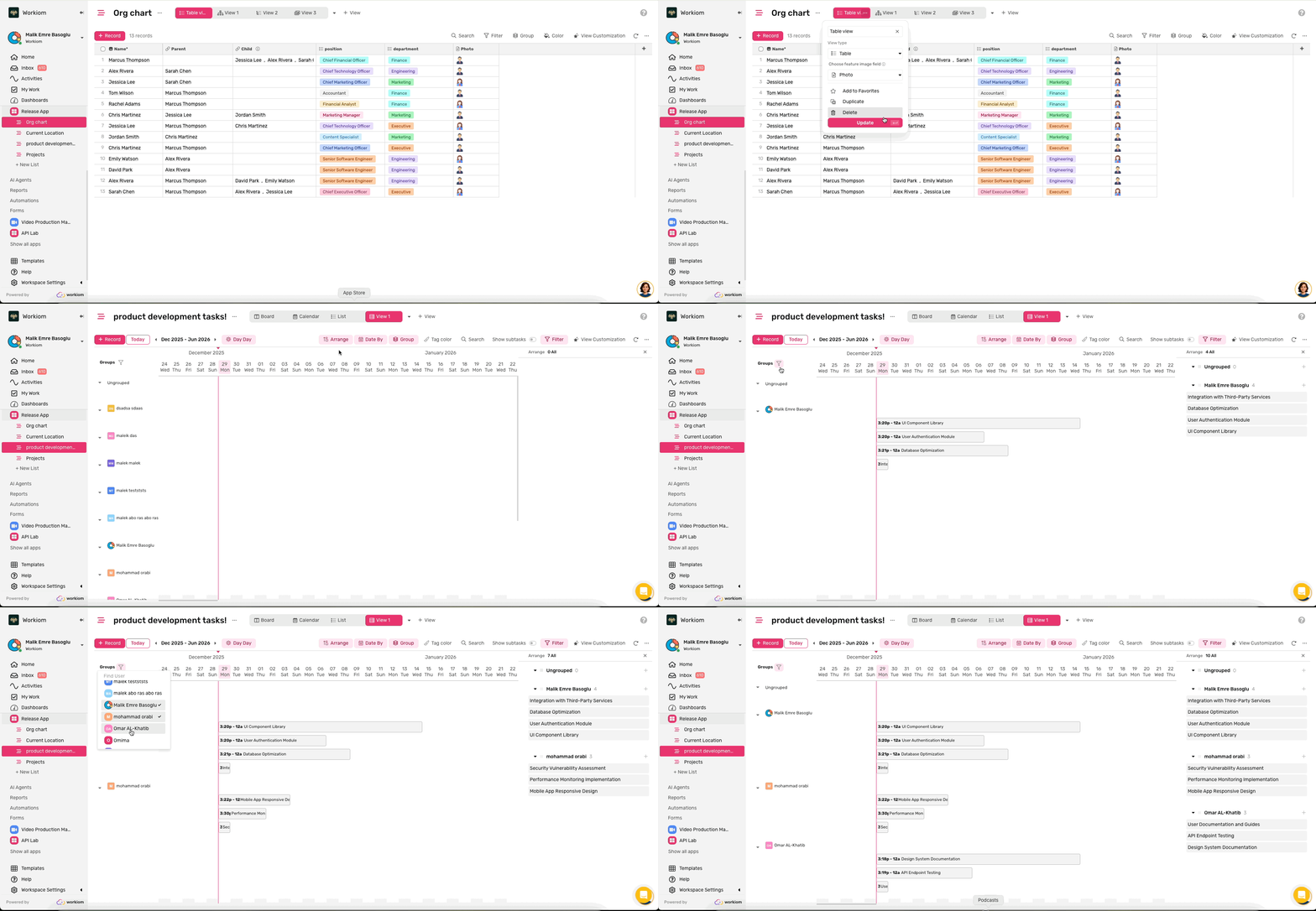
✨ New Feature: Table, Tree, and Resource Allocation View Enhancements
Enhance your visual data management with featured images in Table and Tree views, plus powerful group filtering in Resource Allocation view for focused project management.
Why take advantage of it:
- Identify records instantly with featured images displayed at the start of each row
- Focus on relevant team members by filtering which users and teams appear in Resource Allocation
- Streamline project views by showing only the groups that matter to your workflow
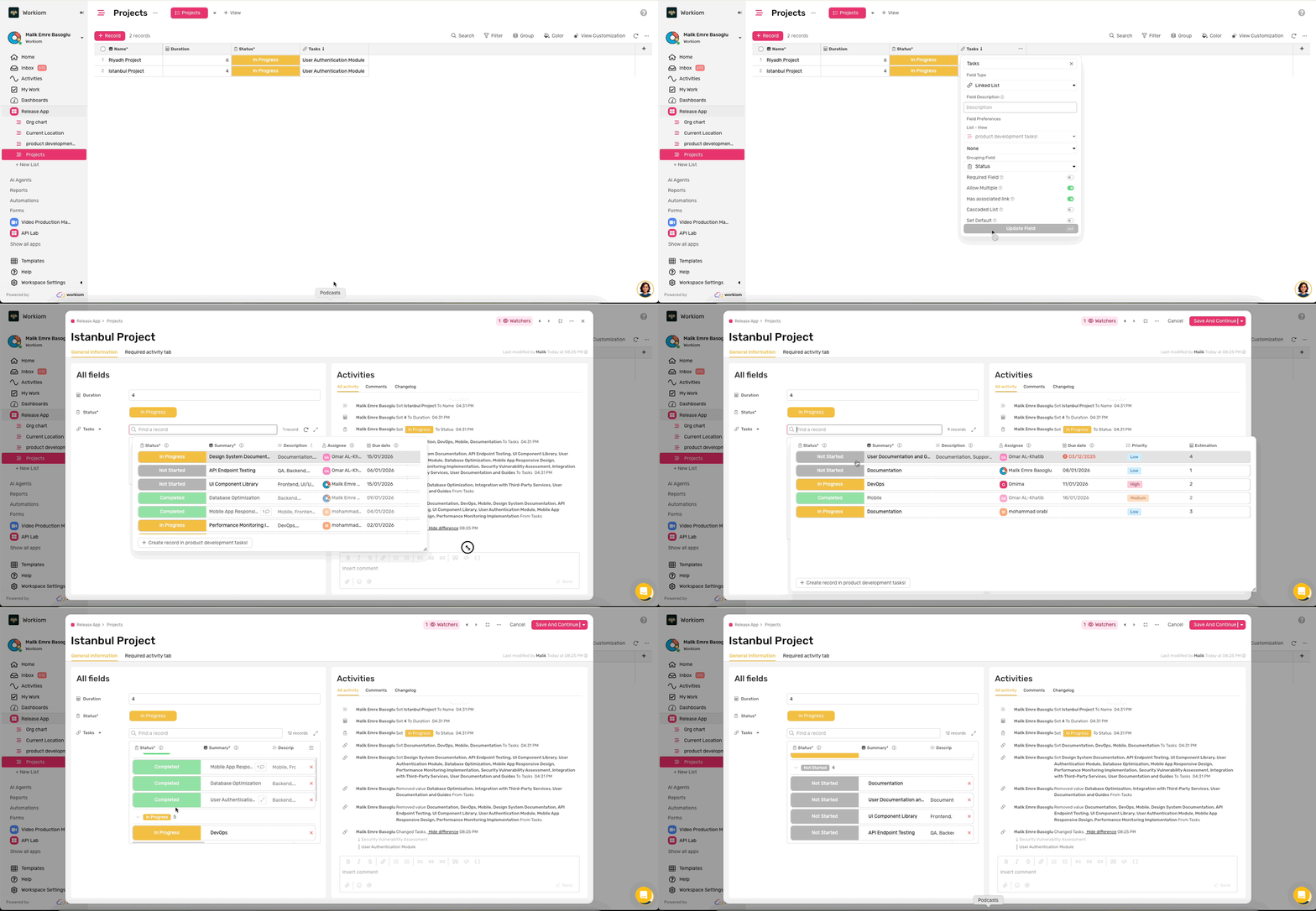
🔗 New Feature: Linked List Experience Enhancements
Work smarter with linked records through resizable lookup dialogs and powerful grouping capabilities that help you organize and navigate relationships more efficiently.
Why take advantage of it:
- Customize your workspace by resizing the lookup dialog and columns to fit your viewing needs
- Organize linked records with grouping options just like in table views for better clarity
- Save time with preferences that persist across sessions so your setup stays consistent
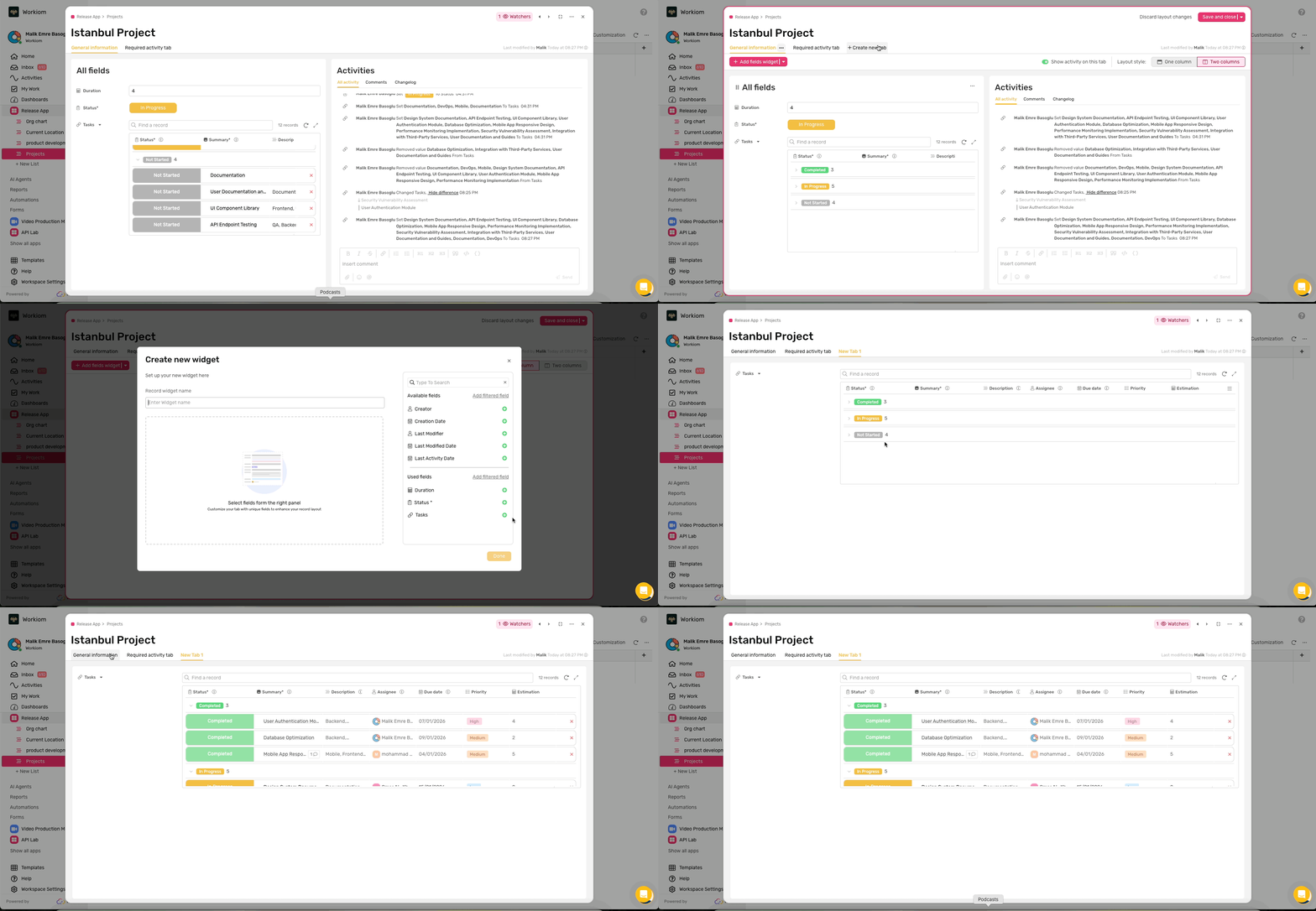
📄 New Feature: Record Layout Enhancements
Maximize your workspace and navigate effortlessly with full-width layout option and improved keyboard navigation for faster, more efficient data entry.
Why take advantage of it:
- View more content horizontally with full-width mode that utilizes your entire screen space
- Navigate through record fields quickly using Tab key for seamless form completion
- Work more efficiently with linked lists and rich text fields that display without horizontal scrolling
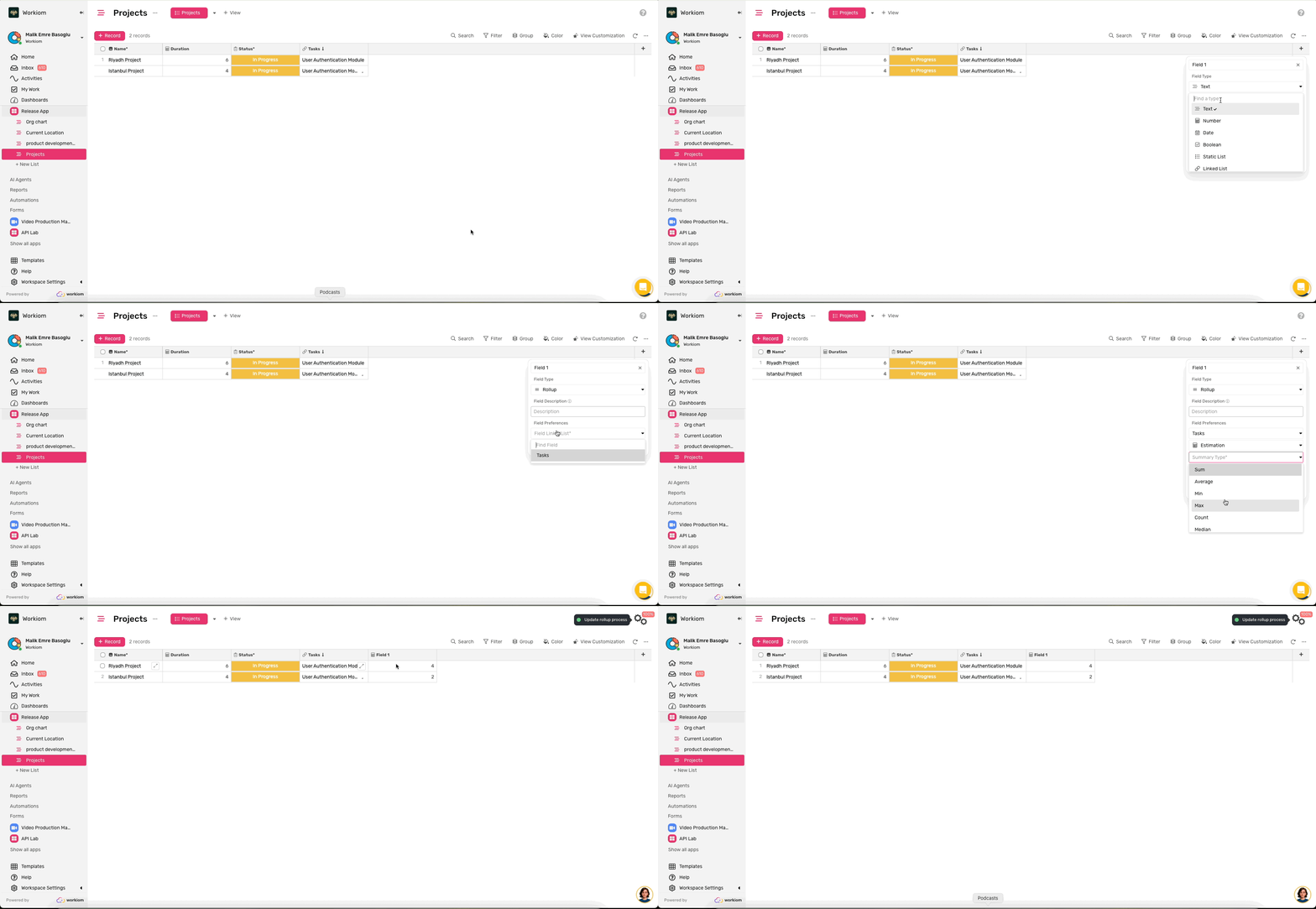
📊 New Feature: Median Function for Rollup Fields and Reports
Get more accurate insights from your data with the new Median function. Calculate the middle value in Rollup fields and Report charts for better analysis of datasets with outliers.
Why take advantage of it:
- Analyze data more accurately when outliers skew your averages, perfect for salary and pricing data
- Make better decisions with a true measure of central tendency alongside Sum, Average, and other functions
- Work efficiently without exporting data to external tools for median calculations
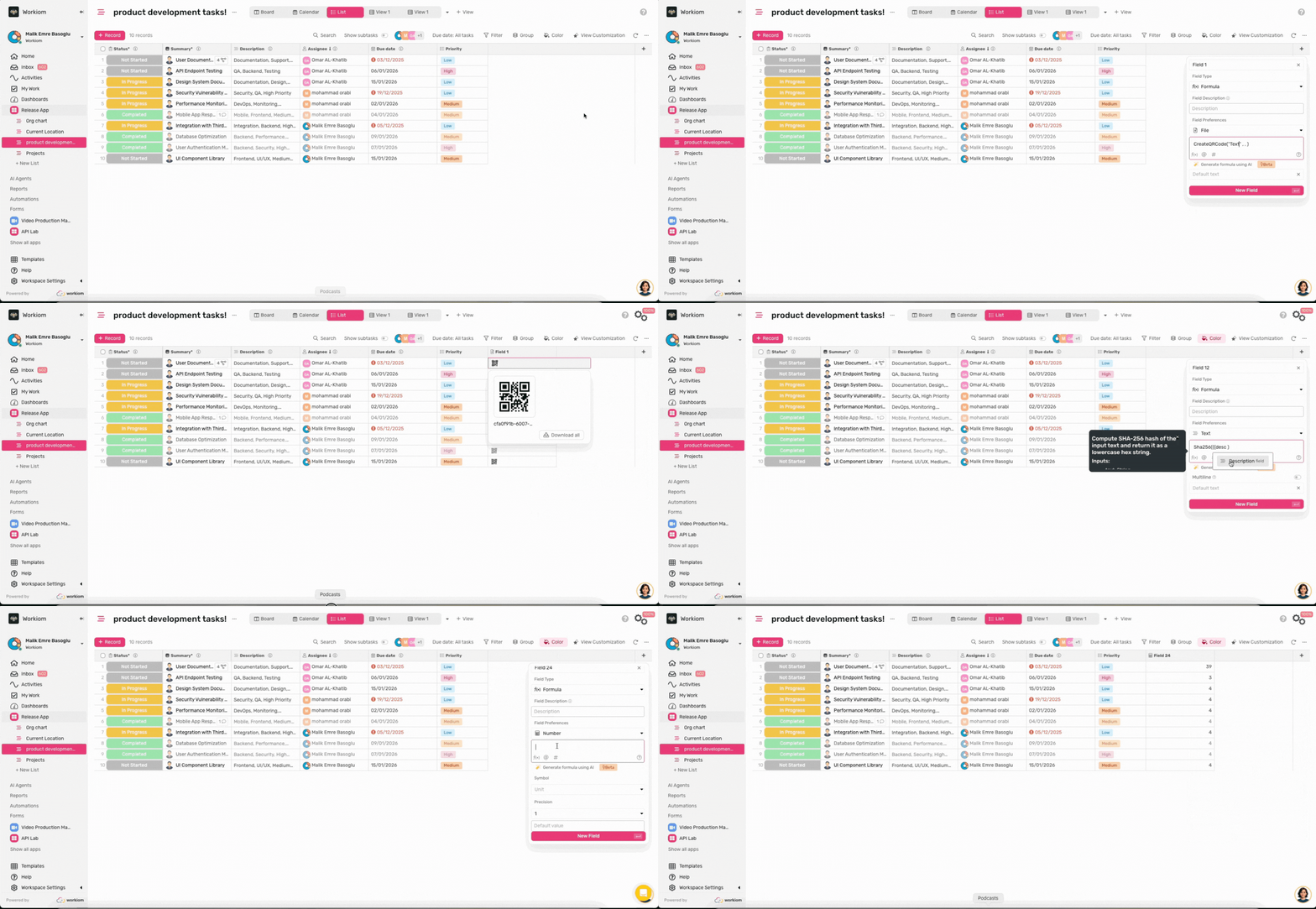
🧮 New Feature: Formula Field Enhancements
Unlock powerful new capabilities with three new formula functions: count words and characters, generate QR codes per record, and secure data with SHA-256 encryption.
Why take advantage of it:
- Track content output accurately with word and character counting for billing and quality control
- Generate unique QR codes for each record, perfect for event check-ins and inventory management
- Secure webhook authentication and sensitive data with SHA-256 encryption functionality
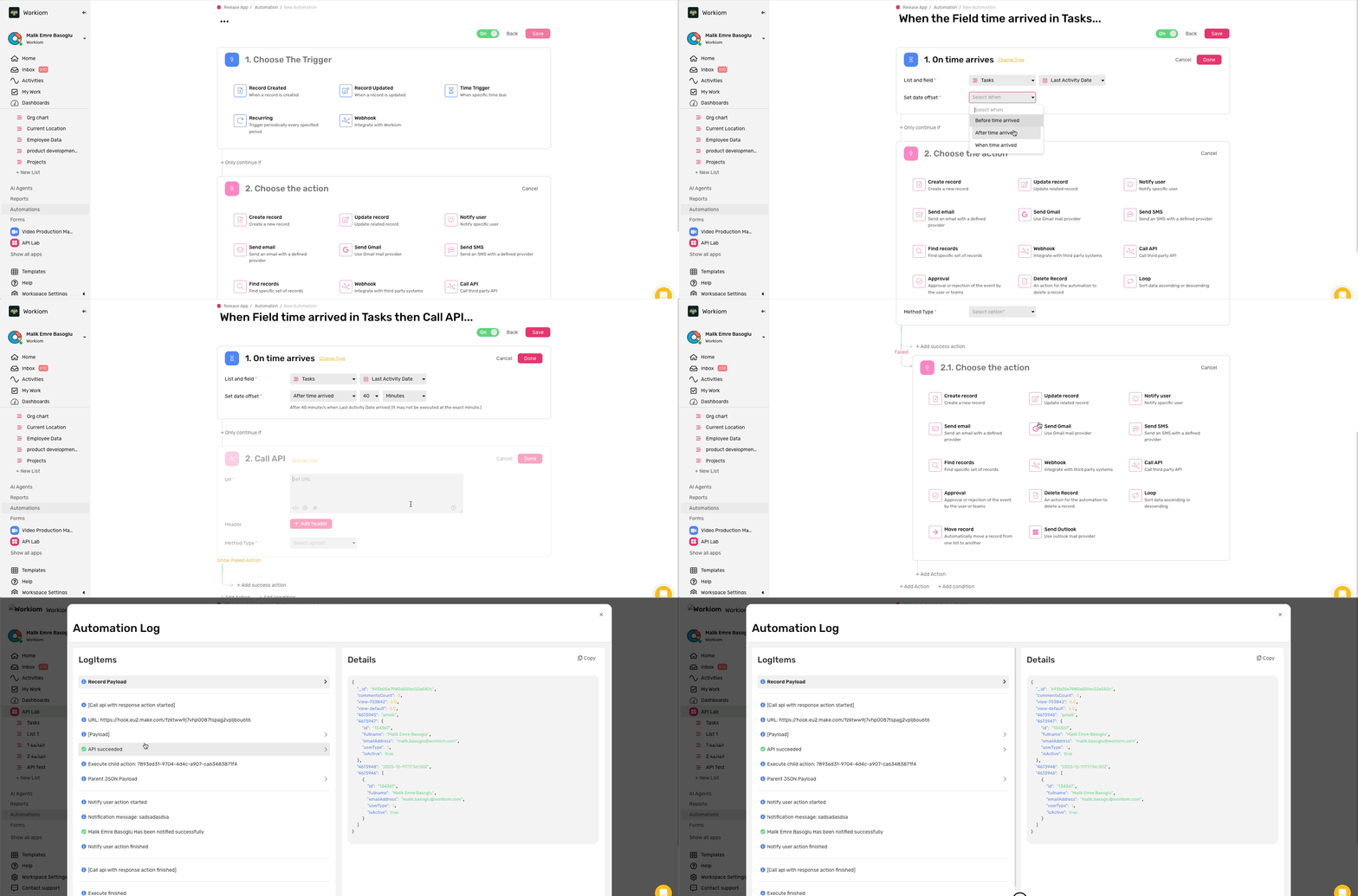
⚡ New Feature: Automation Enhancements
Take control of your automations with precise minute-level scheduling, improved log visibility, and robust API failure handling for more reliable workflows.
Why take advantage of it:
- Schedule automations with 10-minute precision for accurate notifications and timely reminders
- Debug faster with enhanced logs that display formatted JSON and detailed execution information
- Build resilient workflows by defining specific actions when API calls fail




.svg)
.svg)
