

December 26, 2025

8 min
Read


Imagine this: Your team is juggling endless spreadsheets, chasing updates in scattered emails, and waiting weeks for IT to deliver even the smallest tool you requested. The project slows down, deadlines slip, and you’re still far from the workflow you need.
Now imagine creating your own business app, fully tailored to your workflow, in just a few hours, no code required. That’s what teams achieve with Workiom, and this guide shows you how, step by step.
By the end of this article, you’ll know how to:
The first step in any no-code system isn’t automation, it’s clarity. Before building logic or dashboards, you need a structured data model that mirrors your business reality.
In Workiom, you design that model using lists, custom fields, relationships, and permission settings, the building blocks of an operational app.
Take the example of a government program that used Workiom to manage nationwide training coordination across departments. The team needed to manage thousands of tasks, track user performance, collect feedback, and distribute resources.
Here’s how Workiom structured the solution:
This modular structure enabled departments to operate independently while leadership maintained unified oversight and reporting.
Rather than dumping all data into a single spreadsheet-like list, Workiom supports relational architecture, where lists (like “Tasks” and “Ambassadors”) are connected through linked fields.
Example for a Sales CRM:
This relational model improves scalability and ensures that automations, dashboards, and permissions can be tailored with surgical precision.
In compliance-heavy sectors like finance, healthcare, and government, you need granular access control. Workiom allows admins to define:
This is vital in public-sector settings where different directorates must operate independently, yet in sync with overarching rules and reporting structures.
For organizations in regulated sectors, Workiom also provides regional data hosting options, to meet local compliance requirements.
Workiom offers categorized templates across industries including:
Templates are fully editable, allowing fast deployment with the flexibility to evolve.
.png)
With your data structure in place, the next step is enabling automation, turning passive data into intelligent, responsive workflows.
Workiom’s automation engine supports multiple trigger types that let workflows respond automatically to user or system actions:
Workiom’s no-code automation builder lets you chain actions together with conditional logic. Supported actions include:
Real workflows often include exceptions. Workiom supports:
This flexibility enables enterprise-grade orchestration without any coding or IT involvement.
For compliance and quality assurance, Workiom includes:
These features are essential for global operations where auditability and uptime are mission-critical.
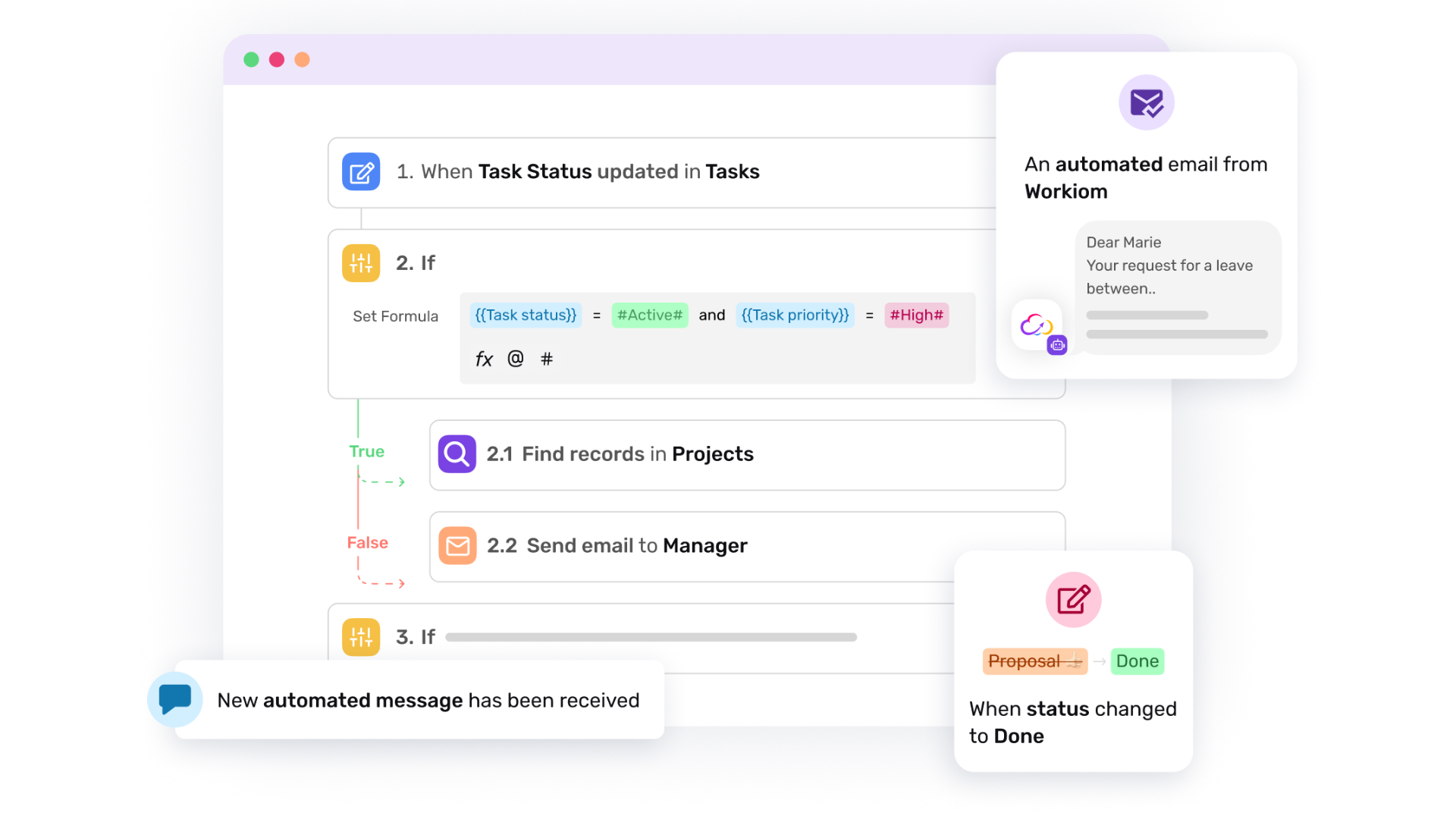
Building and automating a no-code app is only part of the equation. To keep pace with changing goals and scale effectively, you need to track performance, identify inefficiencies, and iterate continuously.
Workiom supports this through dashboards, batch actions, reporting tools, and automation enhancements, all designed for advanced users managing complex operations.
Dashboards in Workiom allow you to visualize operational metrics across lists and teams using:
As your app grows, maintaining accuracy becomes harder. Workiom allows batch updates, so you can:
For multinational operations with dozens of teams, this feature is critical to avoid duplication and delays.
Operational apps often involve performance evaluation. Workiom supports custom scoring systems, such as:
Workiom’s no-code nature means apps can be evolved continuously:
Pro tip: Maintain versioning by using naming conventions and workspace duplications when rolling out significant changes.
By completing Step 3, your app is now:
One of the biggest reasons no-code apps succeed is team adoption. Invite your end users, recruiters, sales reps, project managers, to test and give feedback early. This helps you:
We often see that when teams contribute from day one, the rollout is smoother and adoption rates are higher.
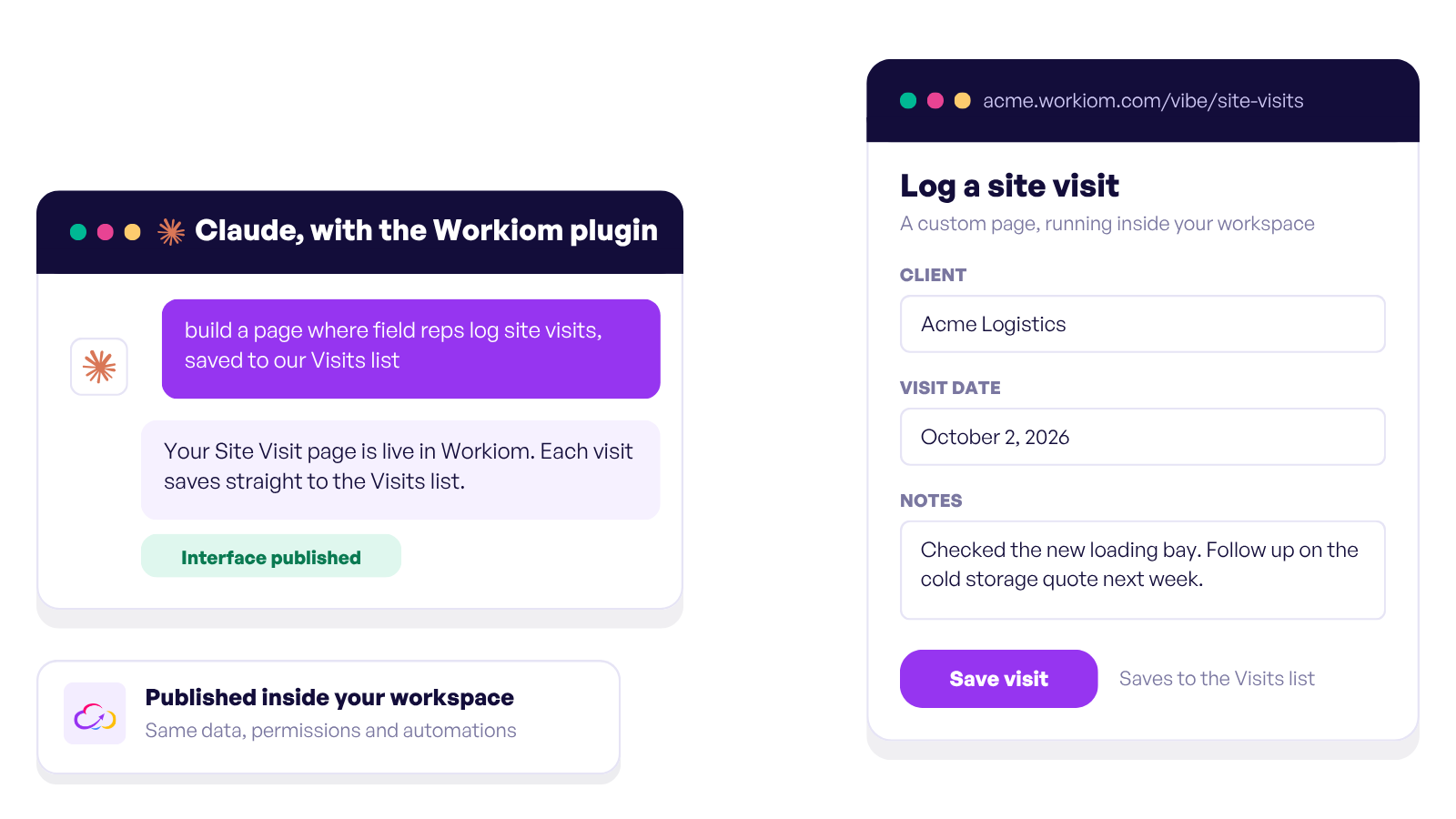
Workiom AI now allows teams to build and modify apps through simple natural language. Describe what you need, and the AI Lab generates it automatically.
%20(8).png)
Digital transformation can’t wait, and neither should your team.
With Workiom, you can design and deploy business-ready applications in hours, automate workflows across teams, and scale confidently, all without writing a single line of code.
Built for speed, security, and flexibility, Workiom empowers teams to work smarter, ensure compliance, and achieve measurable results.
Contact us or start for free now.
Enable multilingual UI, apply granular permissions, and use Workiom’s regional data residency options for compliance.



.svg)
.svg)
